LangGraph Tutorial: Build Stateful AI Agents
Comprehensive LangGraph tutorial covering state management, graph construction, tool integration, conditional routing, and production deployment patterns for stateful AI agents.
10+ years shipping production ML across TensorFlow, PyTorch, AWS, and GCP. Ships every A8gent agent before it becomes a lesson. GitHub
- LangGraph models agent execution as a directed graph where nodes are Python functions that transform state, edges define transitions, and conditional edges enable dynamic routing based on the agent's decisions.
- The state schema (TypedDict with annotations like add_messages) is the backbone of every LangGraph application. Designing the right state shape upfront prevents painful refactoring later.
- Conditional edges are what make LangGraph agents intelligent. A routing function examines the current state and returns the name of the next node, enabling branching logic like tool-calling loops, error recovery, and multi-path workflows.
- Checkpointing with SqliteSaver or PostgresSaver enables durable state persistence across process restarts, which is essential for long-running agents, human-in-the-loop workflows, and crash recovery.
- LangGraph's streaming support lets you push tokens, tool events, and state updates to the client in real time, which is critical for responsive user interfaces that show the agent thinking and acting.
What LangGraph Is and When to Use It
LangGraph is a framework for building stateful, multi-step AI agents using a graph-based execution model. It is developed by the LangChain team but is a separate library with its own API and design philosophy. Where LangChain is about chaining LLM calls together, LangGraph is about giving agents persistent state, branching logic, and iterative reasoning loops - the capabilities that separate a simple LLM wrapper from an actual agent.
The core insight behind LangGraph is that agent execution is not a linear chain - it is a graph. An agent receives input, reasons about it, decides to call a tool, processes the tool result, decides whether to call another tool or respond, and eventually produces output. This loop has branches (tool call vs. direct response), cycles (multiple tool calls), and state that accumulates across iterations (conversation history, tool results, intermediate reasoning). A graph is the natural data structure for modeling this behavior, and LangGraph provides the primitives to build, execute, and persist these graphs.
Use LangGraph when you need fine-grained control over agent behavior. If you are building a chatbot where the agent follows a strict protocol (collect information in a specific order, validate each field, escalate under certain conditions), LangGraph lets you encode that protocol as a graph with explicit transitions. If you need human-in-the-loop capabilities (pause the agent, wait for human input, resume), LangGraph's checkpointing and interrupt primitives handle this natively. If you need multi-agent coordination (agents handing off to each other, supervisors routing tasks), LangGraph's subgraph composition makes this clean.
When should you not use LangGraph? If your agent is a simple question-answer system with no state, use a basic LLM call. If your workflow is a linear pipeline (fetch data, process it, generate output), use LangChain or plain Python. If you want multi-agent collaboration without writing code, use CrewAI. LangGraph's power comes with complexity - the learning curve is steeper than simpler frameworks, and the graph abstraction adds overhead that is only justified when your agent genuinely needs stateful, branching execution.
The LangGraph ecosystem includes three components: LangGraph (the core library for building graphs), LangGraph Platform (a deployment platform with built-in persistence, streaming, and API serving), and LangGraph Studio (a visual debugger for inspecting graph execution). You can use the core library standalone with any Python deployment, or use the platform for managed infrastructure. This tutorial focuses on the core library because understanding the fundamentals is essential regardless of how you deploy.
Prerequisites for this tutorial: Python 3.10+, familiarity with async Python (we use async/await throughout), an OpenAI or Anthropic API key, and basic understanding of what AI agents are. If you are new to the agent concept, our introduction to AI agents provides the necessary background. Install LangGraph with pip install langgraph langchain-openai (or langchain-anthropic for Claude models).
Designing Your Agent's State Schema
Every LangGraph application starts with a state schema. The state is a typed dictionary that carries all information the agent needs across nodes. Think of it as the agent's working memory - it accumulates conversation messages, tool results, intermediate reasoning, and any custom data your application needs. Getting the state design right upfront is the most important architectural decision in a LangGraph project.
The simplest state schema uses LangGraph's built-in MessagesState, which provides a single messages field with the add_messages annotation. The add_messages annotation is crucial: it tells LangGraph to append new messages to the existing list rather than replacing it. Without this annotation, every node that returns a message would overwrite the entire conversation history. Import it with from langgraph.graph import MessagesState.
For real-world agents, you need custom state fields beyond just messages. Define your state using TypedDict with Annotated fields. Each field can have a reducer annotation that controls how updates are merged. The add_messages reducer appends messages. The default reducer (no annotation) replaces the value. You can write custom reducers for complex merge logic - for example, a reducer that merges dictionaries, deduplicates lists, or keeps the maximum value.
A practical state schema for a customer service agent includes: messages (the conversation, using add_messages), customer_id (set once when the conversation starts, never updated), retrieved_data (tool results like order info, account details - replaced on each retrieval), current_intent (the agent's classification of what the customer wants - updated as the conversation progresses), escalation_reason (set if the agent decides to escalate to a human), and response_count (a counter to enforce maximum conversation length).
Design your state schema with separation of concerns. Do not dump everything into the messages list. Use dedicated fields for structured data that nodes need to access directly. A node that checks whether to escalate should read state["escalation_reason"], not parse through the message history looking for escalation signals. Dedicated fields are faster to access, easier to test, and make your graph logic clearer.
One common mistake: making the state too large. Every state update is serialized when using checkpointing, and large states slow down persistence operations. Keep your state lean by storing only what nodes actually need. If a tool returns a 10,000-token document, extract the relevant fields and store those rather than the full document. If you need the full document for later reference, store it in an external database and keep just the reference ID in the state.
For multi-agent graphs (where different subgraphs handle different parts of the workflow), define shared state fields that both subgraphs can read and write, and private state fields that are internal to each subgraph. LangGraph supports this through nested state schemas - the parent graph's state contains a subset of fields that are visible to subgraphs, while subgraphs can have additional fields that the parent does not see. This encapsulation prevents subgraph implementation details from leaking into the parent state.
Test your state schema before building the full graph. Create a few example state instances with realistic data and verify that your reducers behave correctly. Pass a messages list through add_messages and check that messages are appended, not replaced. Update a field with the default reducer and verify it is overwritten. Catching reducer bugs early saves significant debugging time later - a state bug causes every downstream node to behave incorrectly, and the symptoms are often far from the cause.
Here is the customer service state schema described above, expressed as a TypedDict:
from typing import Annotated, TypedDict
from langgraph.graph.message import add_messages

class AgentState(TypedDict):
    messages: Annotated[list, add_messages]
    customer_id: str
    retrieved_data: dict
    current_intent: str
    escalation_reason: str | None
    response_count: int
Building Nodes, Edges, and Conditional Routing
With your state schema defined, you build the graph by adding nodes (functions that transform state) and edges (transitions between nodes). LangGraph graphs are constructed using the StateGraph builder, which provides methods for adding nodes, edges, and configuring the entry point.
Instantiate the builder with your state schema:
from langgraph.graph import StateGraph, START, END

graph = StateGraph(AgentState)
A node is an async Python function that takes the current state as input and returns a partial state update. The key word is "partial" - the node only returns the fields it wants to update, not the entire state. LangGraph merges the returned fields into the existing state using the reducers you defined. For example, a node that calls the LLM returns {"messages": [ai_response]}, and the add_messages reducer appends this to the message history.
Build your first node: the agent node. This node takes the current messages from state, sends them to the LLM along with tool definitions, and returns the LLM's response. The response might be a direct text reply or a tool call request. The node does not need to handle this distinction - it just passes the LLM's response back as a state update, and the routing logic (defined in edges) decides what happens next.
The tool node handles tool execution. When the LLM requests a tool call, this node extracts the tool name and arguments from the message, executes the corresponding Python function, and returns the result as a tool message. LangGraph provides a built-in ToolNode that handles this automatically: tool_node = ToolNode(tools=[search_tool, calculator_tool]). The ToolNode inspects the last AI message, finds tool call requests, executes the tools in parallel, and returns the results.
Registering both nodes with the builder looks like this:
graph.add_node("agent", agent_node)
graph.add_node("tools", ToolNode(tools=[search_tool, calculator_tool]))
Edges define transitions. A normal edge says "after node A, always go to node B": graph.add_edge("tool_node", "agent_node"). This creates the tool-calling loop: after executing tools, always return to the agent to process the results. Conditional edges are where intelligence lives. A conditional edge runs a routing function that examines the state and returns the name of the next node. The classic routing function for a ReAct agent checks: did the LLM request a tool call? If yes, route to the tool node. If no (the LLM produced a final response), route to END.
Implementing the routing function: define a function that takes the state, extracts the last message, checks if it contains tool calls (hasattr(last_message, "tool_calls") and last_message.tool_calls), and returns either "tools" or "__end__". Add this as a conditional edge from the agent node: graph.add_conditional_edges("agent", routing_function, {"tools": "tool_node", "__end__": END}). The third argument maps the routing function's return values to node names.
Put together, the routing function and its conditional edge look like this:
def route_after_agent(state: AgentState) -> str:
    last_message = state["messages"][-1]
    if getattr(last_message, "tool_calls", None):
        return "tools"
    return "__end__"

graph.add_edge("tools", "agent")
graph.add_conditional_edges(
    "agent",
    route_after_agent,
    {"tools": "tools", "__end__": END},
)
For more complex agents, you will have multiple conditional edges creating branching paths. A customer service agent might route from an intent classification node to different handling nodes: "billing" goes to the billing handler, "technical" goes to the technical handler, "complaint" goes to the escalation handler. Each handler is a separate node (or subgraph) with its own logic and tools. This pattern keeps each handler focused and testable while the routing logic manages the overall flow.
Build the graph by setting the entry point and compiling: graph.set_entry_point("agent"), then compiled = graph.compile(). The compiled graph is an executable - invoke it with result = compiled.invoke({"messages": [user_message]}).
Setting the entry point and compiling ties the whole graph together:
graph.set_entry_point("agent")
compiled = graph.compile()

result = compiled.invoke({"messages": [user_message]})
The graph executes the entry node, follows edges (evaluating conditional edges along the way), and continues until it reaches the END node. The result contains the final state with all accumulated messages, tool results, and custom fields. For a deeper dive into how conditional routing enables human approval workflows, see our LangGraph HITL tutorial.
Debug tip: use graph.get_graph().draw_mermaid() to generate a Mermaid diagram of your graph. This visual representation shows all nodes, edges, and conditional branches, making it easy to verify that your graph structure matches your intent. Many graph bugs (missing edges, unreachable nodes, infinite loops) are immediately obvious in the diagram but hard to spot in code.
Tool Integration and the ReAct Pattern
Tools give your LangGraph agent the ability to interact with the outside world. Without tools, the agent is limited to generating text based on its training data. With tools, it can search the web, query databases, call APIs, execute code, read files, and take actions in external systems. The ReAct pattern (Reason + Act) is the standard approach for tool-using agents: the agent reasons about what to do, acts by calling a tool, observes the result, and repeats until it can produce a final answer.
Define tools as Python functions with the @tool decorator from langchain_core.tools. Each tool needs a descriptive name, a clear docstring explaining when and how to use it, and type-annotated parameters. The docstring is what the LLM reads to decide whether to call the tool - treat it like documentation for a human developer. Include: what the tool does, when to use it, what inputs it expects, and what output it returns. Example: @tool decorator on a function search_orders(customer_id: str, status: str = "all") -> str with docstring "Search for customer orders by customer ID. Optionally filter by status: 'active', 'shipped', 'delivered', or 'all'. Returns a JSON list of matching orders with id, date, total, and status fields."
Bind tools to your LLM using the bind_tools method: llm_with_tools = llm.bind_tools([search_tool, calculator_tool, escalate_tool]). This tells the LLM about available tools and their schemas. When the LLM determines it needs to use a tool, it returns a message with tool_calls containing the tool name and arguments. Your agent node uses llm_with_tools instead of the raw LLM, and the conditional edge checks for tool calls to determine routing.
The ReAct loop in LangGraph is the cycle between the agent node and the tool node. The agent node calls the LLM, which returns either a direct response or a tool call. If it is a tool call, the conditional edge routes to the tool node, which executes the tool and returns the result as a tool message. The edge from the tool node goes back to the agent node, where the LLM sees the tool result and decides what to do next: call another tool, or produce a final response. This loop continues until the LLM generates a response without tool calls, at which point the conditional edge routes to END.
Implement tool error handling in the tool node. If a tool call fails (API timeout, invalid parameters, external service down), the default behavior is to crash the graph. Instead, catch exceptions in your tool functions and return descriptive error messages: "Could not search orders: the order service is temporarily unavailable. Please try again." The LLM can often recover from tool errors - it might try a different tool, rephrase its query, or inform the user about the temporary issue. Unhandled crashes terminate the entire agent execution with no recovery.
For agents with many tools (10+), tool selection accuracy degrades because the LLM has more options to choose from and the tool descriptions compete for attention. Two strategies help: tool grouping (create meta-tools that route to sub-tools, e.g., a "customer_tools" meta-tool that dispatches to "get_profile", "get_orders", "update_address") and dynamic tool loading (only include tools relevant to the current conversation state, determined by an intent classification step). Dynamic tool loading uses a conditional edge that classifies the user's intent and routes to a node that binds the appropriate tools before invoking the LLM.
A practical pattern for production agents: structured tool outputs. Instead of tools returning free-form text, return JSON objects with consistent schemas. A search tool returns {"results": [...], "total_count": 42, "query": "..."} rather than a prose description of the results. Structured outputs are easier for the LLM to parse, reduce hallucination (the LLM reads actual data rather than interpreting descriptions), and enable downstream processing in your graph (a node can extract specific fields from the tool result without LLM interpretation).
Monitor tool usage in production. Log every tool call with: the tool name, input arguments, output (truncated if large), execution time, and success/failure status. Aggregate these logs to identify: which tools are called most frequently (optimize these first), which tools fail most often (fix or add fallbacks), which tools are never called (remove them to simplify tool selection), and which tool sequences are common (consider combining them into a single tool for efficiency). For teams building tool-heavy agents, our MCP server guide covers how to expose tools via the standardized Model Context Protocol.
Checkpointing: State Persistence and Crash Recovery
Checkpointing is LangGraph's mechanism for persisting graph state to durable storage. After each node execution, the checkpointer serializes the current state and saves it. This enables three critical capabilities: conversation persistence (the agent remembers previous interactions across sessions), crash recovery (if the process dies mid-execution, it can resume from the last checkpoint), and human-in-the-loop (pause execution, wait for human input, and resume).
LangGraph provides two built-in checkpointers: MemorySaver (stores state in memory, lost on restart - use only for development) and SqliteSaver (stores state in a SQLite database, persists across restarts - suitable for single-server production). For distributed production deployments, use PostgresSaver from the langgraph-checkpoint-postgres package, which stores state in PostgreSQL and supports concurrent access from multiple worker processes.
Add checkpointing at compile time: compiled = graph.compile(checkpointer=SqliteSaver.from_conn_string("checkpoints.db")). Once compiled with a checkpointer, every invocation requires a thread ID in the config: config = {"configurable": {"thread_id": "conversation-123"}}.
For local development, the in-memory checkpointer is the fastest way to get persistence working:
from langgraph.checkpoint.memory import MemorySaver

checkpointer = MemorySaver()
compiled = graph.compile(checkpointer=checkpointer)

config = {"configurable": {"thread_id": "conversation-123"}}
result = compiled.invoke({"messages": [user_message]}, config)
The thread ID is the key that associates state with a specific conversation or execution. Think of it as a session ID - each thread maintains independent state, so you can have thousands of concurrent conversations without state leakage.
With checkpointing enabled, invoking the graph with an existing thread ID resumes from the previous state. If thread "conversation-123" has 10 messages in its state, a new invocation appends the new user message and continues from there. This is how you build multi-turn conversational agents: each user message is a new invocation with the same thread ID, and the agent sees the full conversation history from the checkpoint.
For crash recovery, checkpointing saves state after every node. If the process crashes during the tool node (maybe a tool call timed out and the process was killed), the next invocation with the same thread ID loads the state from the last successful checkpoint (the agent node's output) and re-executes from there. The tool call is retried automatically. This is a significant advantage over in-memory agent frameworks where a crash means losing the entire conversation state.
Checkpointing also enables state inspection. You can load any thread's state at any checkpoint: state = compiled.get_state(config). This returns the full state including messages, tool results, and custom fields. In production, this is invaluable for debugging - when a user reports a bad agent response, you can load the thread state and inspect exactly what the agent saw, what tools it called, and where its reasoning went wrong. You can even modify the state and re-invoke: compiled.update_state(config, {"messages": [...corrected_messages...]}), which is useful for manually correcting agent mistakes.
Production checkpointing best practices: use PostgresSaver for any deployment with more than one process. Set up regular checkpoint cleanup - old threads accumulate and consume storage. Implement a retention policy: delete checkpoint data for threads that have been inactive for more than 30 days (or your application's appropriate retention period). Index the thread ID column for fast lookups. For high-throughput applications, use connection pooling with the Postgres checkpointer to avoid exhausting database connections.
Be mindful of checkpoint size. Every state update is serialized (typically as JSON), and large states mean slow checkpoint operations. If your agent accumulates 100 messages with tool results, each checkpoint could be several KB. At thousands of checkpoints per minute for a high-traffic agent, this adds up. Strategies for managing checkpoint size: summarize old messages (keep the last 20 messages and a summary of earlier ones), store large tool results externally (keep a reference in state, not the full data), and compress checkpoint data at the storage layer. For an in-depth look at how checkpointing enables human approval workflows, see our LangGraph HITL guide.
Streaming, Testing, and Production Deployment
Streaming is essential for production agents because users expect immediate feedback. Without streaming, the user sends a message and stares at a loading spinner for 5-30 seconds while the agent reasons, calls tools, and generates a response. With streaming, the user sees tokens appear as they are generated, tool calls being made in real time, and status updates as the agent progresses through graph nodes. LangGraph provides first-class streaming support through the astream and astream_events methods.
Basic streaming with astream yields complete state updates after each node completes. Call it with async for event in compiled.astream(input, config) and each event contains the node name and the state update it produced. This is useful for showing progress indicators ("Searching orders...", "Generating response...") but does not stream individual tokens.
For token-level streaming, use astream_events with version 2: async for event in compiled.astream_events(input, config, version="v2"). This yields fine-grained events including: on_chat_model_stream (individual tokens from the LLM), on_tool_start and on_tool_end (tool execution lifecycle), and on_chain_start and on_chain_end (node execution lifecycle). Your frontend can use these events to stream tokens to the user, show tool execution progress, and display the agent's reasoning steps.
Implement streaming in a FastAPI endpoint using Server-Sent Events (SSE). The endpoint accepts the user message, invokes the graph with astream_events, and yields each event as an SSE message. The frontend connects using the EventSource API and processes events as they arrive. This is the standard pattern for streaming LLM applications and works with all modern browsers. The LangGraph Platform provides this out of the box, but implementing it manually is straightforward (about 30 lines of FastAPI code).
Testing LangGraph agents requires testing at multiple levels. Unit tests for individual nodes: test each node function in isolation by passing mock state and verifying the returned state update. Integration tests for the full graph: invoke the compiled graph with test inputs and verify the final state matches expectations. Routing tests: verify that conditional edges route correctly for each possible state condition. Tool tests: test each tool function independently with various inputs including edge cases and error conditions.
For deterministic testing, mock the LLM. LangGraph supports this by passing a mock LLM to the agent node during tests. The mock LLM returns predefined responses (including tool calls) that exercise specific graph paths. This eliminates LLM non-determinism from your tests and lets you verify graph logic independently of model behavior. Test both the happy path (agent calls the right tool and responds correctly) and error paths (tool fails, agent enters unexpected state, maximum iterations exceeded).
Production deployment has two paths. Self-hosted: wrap your graph in a FastAPI application, add authentication (API keys or JWT tokens), add rate limiting, deploy on a VM or container service (AWS ECS, GCP Cloud Run, Kubernetes), and connect a PostgreSQL database for checkpointing. LangGraph Platform: deploy your graph to LangChain's managed service, which provides a REST API, streaming, checkpointing, cron jobs, and authentication out of the box. The platform is faster to deploy but adds vendor dependency and costs.
For self-hosted production, the architecture looks like: a load balancer (nginx or cloud LB) distributes requests across multiple FastAPI workers, each worker runs the LangGraph agent with a shared PostgresSaver checkpointer, and Redis handles rate limiting and caching. Deploy with at least 2 workers for availability, and scale workers based on concurrent request count. Each worker can handle one agent invocation at a time (agent execution is compute-bound during LLM calls), so size your worker pool based on your expected concurrency and average response time. For teams building production AI agent systems, our complete implementation guide covers the broader architecture and operational considerations that apply regardless of framework choice.
Monitor your production agent with: response latency (P50, P95, P99), error rate by error type (LLM errors, tool errors, timeout errors), token usage and cost per invocation, graph path distribution (which conditional branches are taken most often), and checkpoint storage growth. Set alerts for latency spikes (often caused by LLM provider issues), error rate increases, and cost anomalies (a bug that causes infinite tool-calling loops can burn through API budget quickly). Use structured logging with correlation IDs that tie together all events for a single graph invocation, making it easy to trace issues end-to-end.
Advanced Patterns: Subgraphs, Multi-Agent, and Reflection
Once you have mastered the basics of nodes, edges, and checkpointing, LangGraph offers advanced patterns for building sophisticated agent architectures. These patterns handle use cases that are difficult or impossible with simpler frameworks: multi-agent coordination, self-improving agents, and complex workflow orchestration.
Subgraphs let you compose graphs within graphs. A subgraph is a compiled LangGraph that is used as a node in a parent graph. The parent graph invokes the subgraph, which runs its internal nodes and edges, and returns its final state to the parent. This enables modular agent design: build and test a customer lookup subgraph, an order processing subgraph, and a complaint handling subgraph independently, then compose them into a customer service super-agent. Subgraphs share state with the parent through defined input/output schemas, keeping internal state private.
The supervisor pattern is a multi-agent architecture where a supervisor agent routes tasks to specialist agents. The supervisor is a node that calls the LLM with the current state and a list of available specialists. The LLM returns the name of the specialist to invoke. A conditional edge routes to the selected specialist (each implemented as a subgraph), and the specialist's output flows back to the supervisor for evaluation. The supervisor decides whether to invoke another specialist, ask for revisions, or finalize the response. This pattern scales to 10+ specialists while keeping each specialist focused and the routing logic centralized.
Implement the supervisor by defining it as a node that calls the LLM with a system prompt listing all available specialists: "You are a routing supervisor. Based on the user's request, select the most appropriate specialist: 'billing_agent' for payment and billing questions, 'technical_agent' for product troubleshooting, 'sales_agent' for pricing and upgrade inquiries, 'general_agent' for everything else. Respond with ONLY the specialist name." The conditional edge maps the supervisor's response to the corresponding subgraph node.
Reflection is a pattern where the agent evaluates and improves its own output. After generating a response, a reflection node sends the response to the LLM with a critique prompt: "Review the following response for accuracy, completeness, and tone. Identify any issues and suggest improvements." If the critique identifies issues, the graph routes back to the generation node with the critique as additional context. The generation node produces an improved response, which is evaluated again. This loop continues until the critique passes or a maximum iteration count is reached.
Reflection works well for high-stakes outputs where quality matters more than speed: legal document drafts, financial reports, customer-facing communications, and code generation. The typical improvement from one round of reflection is 15-25% higher quality scores (measured by human evaluation). Two rounds of reflection show diminishing returns - the third iteration rarely improves significantly over the second. Set max_reflection_rounds=2 to balance quality and latency.
The plan-and-execute pattern separates planning from execution. A planning node analyzes the user's request and creates a step-by-step plan (stored in state as a list of steps). An execution loop processes each step sequentially, updating the state with results. After all steps are executed, a synthesis node combines the results into a final response. This pattern excels for complex, multi-step tasks where the agent needs to break down the problem before solving it: research projects, data analysis, multi-system workflows. The plan provides structure and prevents the agent from getting lost in tool calls.
For long-running agents (executing over minutes or hours), combine checkpointing with a queue-based architecture. The initial request starts the graph execution, which checkpoints after each node. If a node requires waiting (human approval, external system processing, scheduled delay), the graph pauses at the checkpoint and the worker is freed. A scheduler polls for resumable threads and re-invokes them when the waiting condition is met. This pattern supports workflows like: file an insurance claim, wait for adjuster review (hours), process the adjuster's decision, notify the customer. The graph maintains state across the entire multi-day workflow. For more patterns on building complex agentic systems, our OpenAI AgentKit tutorial covers complementary approaches from the OpenAI ecosystem.
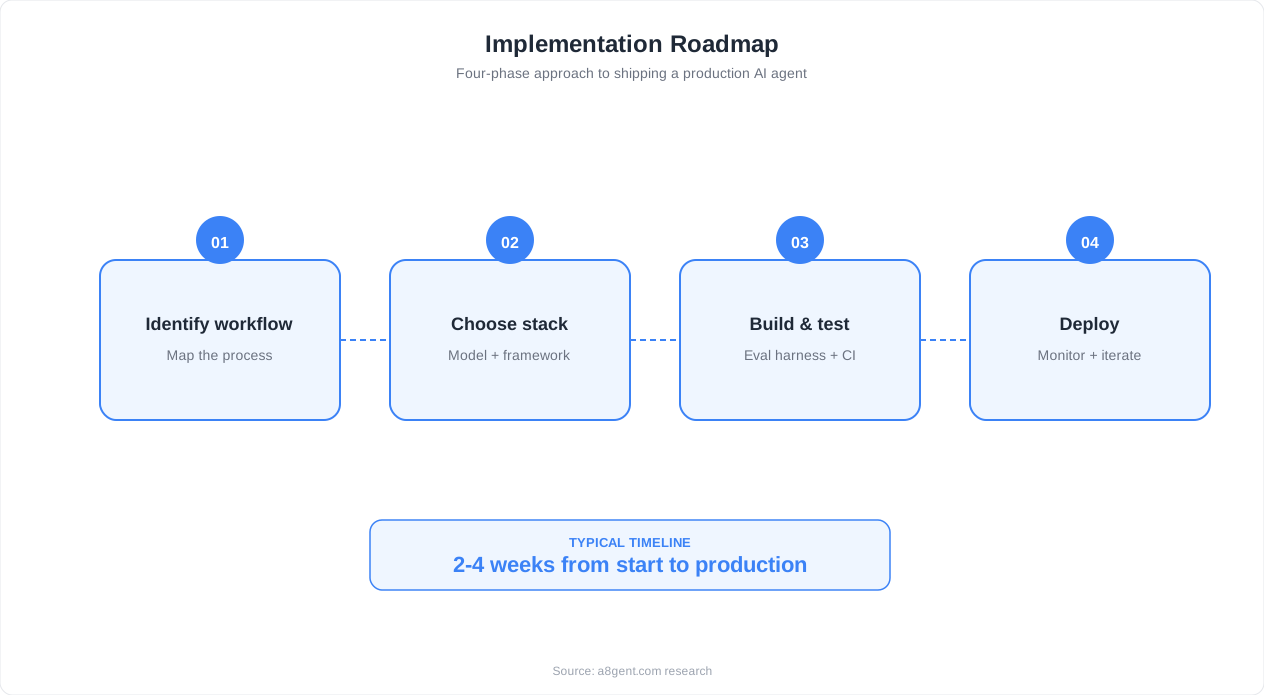
Before this goes anywhere near real users, wire up evals and tracing - the two habits that separate demos from production agents.
FAQ
Is LangGraph the same as LangChain?
No. LangGraph is a separate library built by the same team. LangChain is for building LLM chains and pipelines. LangGraph is for building stateful agents with branching logic, cycles, and persistence. LangGraph uses some LangChain components (like chat models and tools) but has its own graph-based API and execution model.
Which LLMs work with LangGraph?
LangGraph works with any LLM that has a LangChain chat model integration: OpenAI (GPT-4o, GPT-4o-mini), Anthropic (Claude Sonnet, Claude Opus), Google (Gemini), Mistral, and local models via Ollama or vLLM. The framework is model-agnostic - you can even switch models per node.
How does LangGraph compare to CrewAI?
LangGraph gives you lower-level control over agent execution: you define every node, edge, and state transition. CrewAI gives you higher-level abstractions: you define agents with roles and tasks, and the framework handles orchestration. Use LangGraph for complex custom agents and CrewAI for straightforward multi-agent business workflows.
Can I use LangGraph in production?
Yes. LangGraph is production-ready with PostgreSQL checkpointing, streaming support, and the LangGraph Platform for managed deployment. Major companies use it in production for customer service agents, data analysis pipelines, and workflow automation. Key production requirements: use PostgresSaver (not MemorySaver), add error handling, and implement monitoring.
How do I debug LangGraph agents?
Three approaches: 1) Use graph.get_graph().draw_mermaid() to visualize the graph structure. 2) Enable verbose logging on the LLM to see full prompts and responses. 3) Use LangGraph Studio for visual step-through debugging. For production issues, load the thread state from the checkpointer and inspect it directly.