How to Create an AI Agent Training Plan for Your Team
A step-by-step guide for managers to build and execute an AI agent training plan. Covers team assessment, curriculum design, practice projects, measuring adoption, and a complete week-by-week rollout template.
10+ years shipping production ML across TensorFlow, PyTorch, AWS, and GCP. Ships every A8gent agent before it becomes a lesson. GitHub
- Effective AI agent training plans start with a skills assessment - not tool selection - because the gap between current and needed skills determines the entire curriculum.
- The most successful rollouts follow a 12-week phased approach: 2 weeks assessment, 4 weeks structured learning, 4 weeks guided practice, 2 weeks independent deployment.
- Resistance drops dramatically when training is framed around career growth rather than productivity mandates - show team members how AI skills increase their market value.
- Practice projects should use real business data and real workflows, not synthetic exercises - teams that train on sanitized examples struggle to transfer skills to production scenarios.
- Measuring training success requires both competency metrics (can they do it?) and adoption metrics (are they actually doing it?) - many programs track only one.
Why Managers Need a Formal Training Plan
The default approach to AI agent adoption looks like this: a manager sees a demo, gets excited, buys a subscription, sends a Slack message saying "we now have access to [AI tool], start using it," and waits for productivity gains to materialize. Three months later, two people on the team use it occasionally, everyone else ignored the message, and the subscription is an awkward line item in the budget review.
This happens because AI agents require a fundamentally different type of learning than most software tools. When you roll out a new project management app, people need to learn where the buttons are. When you roll out AI agents, people need to learn how to think differently about their work - how to decompose tasks, write clear instructions, evaluate non-deterministic outputs, and trust (but verify) automated decisions. That's a cognitive shift, not a UI memorization exercise.
A formal training plan addresses this by providing structure, pacing, and accountability. It ensures that every team member - not just the early adopters - develops the skills needed to use AI agents effectively. And it gives you, as a manager, clear milestones to track progress against.
The data supports this approach. According to Deloitte's 2025 workforce transformation research, organizations with structured AI training programs achieve 3.2x higher adoption rates than those relying on self-directed learning. The structured approach also produces more uniform skill levels - you don't end up with one power user and fifteen people who tried it once and gave up.
Before you design your plan, you need to understand where your team is starting from. The AI Agent Readiness Quiz gives you a baseline assessment across five skill dimensions: prompt engineering, workflow design, review processes, data readiness, and adoption mindset. Have every team member complete it - the aggregate results become the foundation of your curriculum design.
This guide walks through the complete process: assessing your team, designing the curriculum, structuring practice projects, managing resistance, measuring results, and a week-by-week template you can adapt for your specific situation. The goal is to give you a plan you can start executing this week, not a theoretical framework you'll never implement.
Phase 1: Team Assessment (Weeks 1-2)
The assessment phase answers three questions: Where is your team now? Where do they need to be? What's the gap? Skipping this phase - which most managers do - means you'll either over-train on skills people already have (wasting time and building resentment) or under-train on skills they lack (setting them up for failure).
Step 1: Individual skills inventory. Have each team member complete a self-assessment covering these areas:
- AI familiarity: Have they used ChatGPT, Claude, or similar tools? How often? For what tasks? Rate from 1 (never used AI) to 5 (daily user with advanced techniques).
- Process documentation: Can they clearly describe their workflow in written steps? This correlates strongly with prompt engineering ability.
- Quality judgment: Can they evaluate whether a piece of content, analysis, or communication meets professional standards? This predicts review process effectiveness.
- Data literacy: Do they understand where their work data comes from, how it's structured, and what quality issues exist?
- Change readiness: Are they excited, neutral, or anxious about AI agents in their workflow? Honest answers here inform your resistance management strategy.
Step 2: Use case prioritization. List every task your team performs that could potentially involve an AI agent. Then score each on three criteria:
- Volume: How many times per week is this task performed? High-volume tasks offer the biggest time savings.
- Complexity: How much judgment does the task require? Start with low-complexity tasks for training purposes.
- Risk: What happens if the agent gets it wrong? Start with low-risk tasks where errors are easily caught and corrected.
Your ideal first training use case scores high on volume and low on both complexity and risk. Common examples: drafting internal status reports, summarizing meeting notes, categorizing incoming requests, generating first drafts of standard communications, and creating data summaries from structured sources.
Step 3: Gap analysis. Compare the skills your team has (from the individual assessments) with the skills your target use cases require. The gap tells you what to focus the training on. If most of your team is already comfortable with AI tools but has never designed an automated workflow, spend less time on basics and more on workflow design. If nobody has used AI at all, you need foundational training before anything else.
Document this analysis in a one-page summary. You'll share a version of this with your team (transparency builds trust) and use it to design the curriculum. The Team AI Agent Training Plan template includes a pre-built assessment framework with scoring rubrics you can customize for your team's specific context.
Step 4: Identify your champions. Look at the assessment results and find 2-3 people who scored highest on AI familiarity and change readiness. These are your training champions - they'll go through the curriculum slightly ahead of the rest of the team and serve as peer mentors during the practice phase. Brief them separately on their role and get their buy-in before launching the broader training.
Phase 2: Curriculum Design (Week 3)
A training curriculum for AI agents should follow a specific learning progression: concepts first, then techniques, then application, then independence. Jumping straight to application ("here's the tool, go automate something") fails because people don't have the mental models to troubleshoot when things don't work. Staying too long in concepts ("let's discuss how large language models work") fails because people get bored and never build practical skills.
Here's a curriculum structure that balances both, organized into four modules:
Module 1: AI Agent Foundations (3-4 hours)
This module covers what AI agents are, what they can and cannot do, and how they differ from traditional automation. The goal is to set realistic expectations and eliminate both over-optimism ("the agent will do my entire job") and unwarranted skepticism ("AI can't handle anything important"). Key topics:
- How AI agents process instructions and generate outputs - no technical jargon, just a functional mental model
- The difference between AI agents and simple chatbots or rule-based automation
- Common capabilities: text generation, data analysis, classification, summarization, research, and multi-step task execution
- Known limitations: hallucination, inconsistency, context window limits, inability to access real-time information (unless connected to tools)
- Real examples of agent successes and failures in your industry
Module 2: Prompt Engineering and Task Design (4-5 hours)
This is the most skill-intensive module. Team members learn to translate business tasks into clear agent instructions. Structure it as a workshop, not a lecture - at least 60% of the time should be hands-on practice. Key exercises:
- Write a prompt for a task you do weekly. Have a partner try to follow the prompt literally (revealing ambiguity).
- Take a vague prompt and refine it three times, each time making it more specific. Compare outputs at each stage.
- Practice task decomposition: take a complex task and break it into 3-5 sequential sub-tasks, each with its own prompt.
- Learn output format specification: teaching the agent exactly what format, structure, and length you need.
- Practice few-shot prompting: providing examples of desired outputs to calibrate agent behavior.
The Team AI Agent Training Course provides ready-made exercises for this module, organized by industry and role type, so you don't have to create practice scenarios from scratch.
Module 3: Workflow Integration and Review (3-4 hours)
This module covers how to embed agents into existing processes and how to review their output. Key topics:
- Mapping your current process and identifying agent insertion points
- Designing handoff points between human and agent work
- Building review checklists specific to your use cases
- Setting up escalation criteria for edge cases
- Using automation platforms like Make or n8n to connect agents to your existing tools
Module 4: Measurement and Optimization (2-3 hours)
The final module teaches teams to evaluate and improve agent performance over time. This includes tracking accuracy rates, identifying patterns in errors, refining prompts based on feedback, and knowing when to expand to new use cases. This module is best delivered after teams have had 2-3 weeks of hands-on practice, so they have real data to work with.
Total curriculum: 12-16 hours of structured learning, delivered over 4 weeks at 3-4 hours per week. This pacing lets people absorb concepts between sessions and start applying techniques in their daily work before the next session reinforces and builds on them.
Phase 3: Guided Practice Projects (Weeks 7-10)
This is where training succeeds or fails. Classroom learning builds understanding; practice projects build competence. The critical decision is what projects to assign and how to structure them so people learn from doing without getting overwhelmed or discouraged.
Choosing the right practice projects:
Each team member (or pair of team members, if you want collaborative learning) should take on one practice project that involves automating a real task from their actual work. Not a hypothetical scenario - their real data, their real workflow, their real quality standards. This matters because the messy reality of real work (inconsistent data, unclear edge cases, subjective quality criteria) is exactly what they need to learn to handle.
Good practice project characteristics:
- The task is performed at least weekly, so there are plenty of opportunities to test and iterate
- The output has clear quality criteria that everyone agrees on
- Errors are recoverable - a bad output can be caught and fixed without significant consequences
- The task currently takes 30-60 minutes, so automation savings are meaningful but the scope isn't overwhelming
Examples of effective practice projects by function:
- Sales: Auto-generate personalized follow-up emails based on meeting notes and CRM data
- Marketing: Create first drafts of social media posts from blog content, maintaining brand voice
- Operations: Summarize weekly metrics reports and flag anomalies that need attention
- Customer Success: Draft responses to common support questions using product documentation
- HR: Generate initial screening summaries from candidate resumes against job requirements
- Finance: Categorize and summarize expense report line items for review
Structure for guided practice:
Each practice project follows a five-step structure over four weeks:
Week 7 - Design: The team member documents their current process, identifies where the agent fits in, writes initial prompts, and defines success criteria. They present their design to the team or their champion for feedback before building anything. This design review catches flawed assumptions early.
Week 8 - Build and test: Set up the agent workflow using the prompts and integrations designed in week 7. Run 10-15 test cases and compare agent output to what a human would produce. Document every discrepancy. This week usually involves significant prompt refinement - first drafts rarely perform well enough.
Week 9 - Iterate: Based on test results, refine prompts, add edge case handling, and improve output formatting. Run another round of testing. By end of week 9, the agent should produce acceptable output at least 80% of the time.
Week 10 - Parallel run: Use the agent for the real task alongside the manual process. The team member does the task both ways and compares results. This parallel run builds confidence (the manual process is still there as a safety net) and provides concrete data on time savings and accuracy.
The manager's role during practice:
Your job during this phase is to remove obstacles, not to solve problems. When a team member's agent is producing bad output, resist the urge to fix it yourself. Instead, ask diagnostic questions: "What did you expect the agent to produce? What did it actually produce? Where do you think the instruction was unclear?" This coaching approach builds problem-solving skills that will serve the team long after the training period ends.
Hold a weekly 30-minute stand-up during the practice phase where each person shares: what they tried this week, what worked, what didn't, and what they'll try next. These sessions become the most valuable part of the entire training program because teams learn from each other's mistakes without having to make every mistake themselves.
Managing Resistance and Building Momentum
Every AI training rollout encounters resistance. The question isn't whether you'll face it, but how you'll handle it. Resistance typically comes from three sources, each requiring a different response:
Source 1: Fear of job displacement. This is the most common and most legitimate concern. Team members worry that if they help automate their work, they're training their replacement. Address this directly in your first all-hands communication about the training plan. Be specific: "We're using AI agents to handle [specific repetitive tasks] so you can spend more time on [specific higher-value work]. No positions are being eliminated as part of this initiative." If positions might be affected, be honest about that too - people detect dishonesty and it destroys trust.
Frame AI skills as career insurance. Professionals who can work effectively with AI agents are increasingly in demand across every industry. The training you're providing doesn't just help the company - it makes each team member more valuable in the broader job market. This reframing shifts the dynamic from "management is forcing this on us" to "management is investing in our professional development."
Source 2: Skepticism about the technology. Some team members have tried AI tools and been disappointed by hallucinations, irrelevant outputs, or tools that didn't live up to the hype. Their skepticism is based on real experience, and dismissing it is counterproductive. Instead, acknowledge it: "You're right that AI tools have limitations and early versions were unreliable. Here's what's different about the specific approach we're taking." Then demonstrate - don't argue. Show a well-designed agent workflow producing high-quality output for a task the skeptic does regularly. Seeing is believing in a way that PowerPoint slides never achieve.
Source 3: Overwhelm and time pressure. "I'm already too busy to do my regular job - now you want me to spend hours learning a new tool?" This is a real constraint, not an excuse. If you don't address it, training gets deprioritized indefinitely. The solution: explicitly block calendar time for training and practice. Reduce other workload during the training period if possible. If you can't reduce workload, acknowledge the burden and explain the short-term investment versus long-term payoff with specific numbers: "This will take 3-4 hours per week for four weeks. Based on our pilot testing, you'll save 5-8 hours per week once you're proficient."
Momentum-building tactics that work:
- Quick wins board: Create a shared channel or board where people post their wins - time saved, tasks automated, pleasant surprises. Celebrate every post. This creates social proof and positive peer pressure.
- Show-and-tell sessions: Monthly 30-minute sessions where 2-3 team members demo what they've built. Keep it informal and practical. These become the most popular recurring meetings on the calendar.
- Manager participation: Complete the training yourself. Use AI agents for your own work visibly. If your team sees you're not using the tool, they'll correctly conclude it's not actually important. If they see you using it daily, the implicit message is powerful.
- Remove friction: Pre-configure accounts, provide clear documentation, assign champions who answer questions within hours. Every point of friction is an excuse to stop trying.
The Team AI Agent Training Course includes a module specifically for managers on change management for AI adoption, with scripts for common objections, communication templates for each phase of the rollout, and techniques for maintaining momentum past the initial excitement period.
One pattern to watch for: the "silent dropout." Some team members won't resist openly - they'll nod in meetings, attend training sessions, and then quietly never use the tool. Your adoption metrics (from Phase 4) will catch this, but you need to respond with curiosity rather than pressure. Ask: "I noticed you haven't logged into the agent platform this week. What's getting in the way?" Usually it's a specific, solvable problem - the tool is confusing, the first attempt went badly and they got discouraged, or they genuinely can't see how it applies to their work. Each of these has a concrete fix.
Phase 4: Measuring Success and Scaling
If you don't measure training outcomes, you won't know whether to double down or course-correct. And if you measure the wrong things, you'll draw the wrong conclusions. Here's what to track, when to track it, and what the numbers mean.
Competency metrics (can they do it?):
- Prompt quality score: Have champions or the training lead review a sample of prompts each team member has written. Score on a 1-5 scale for clarity, specificity, and task decomposition. Target: average score of 3.5+ by end of training, 4.0+ by month 3.
- Agent output accuracy: What percentage of agent outputs pass quality review without significant edits? Track per person and per use case. Target: 70%+ by end of training, 85%+ by month 3.
- Troubleshooting ability: When an agent produces bad output, can the team member diagnose the problem and fix it independently? Track escalation frequency to champions - it should decrease over time.
Adoption metrics (are they doing it?):
- Active usage rate: What percentage of trained team members used an AI agent at least once this week? Target: 80%+ by month 2.
- Task coverage: How many of the identified use cases are being actively automated? Start with 1-2, aim for 4-6 by month 6.
- Override rate: How often are users completely discarding agent output and doing the task manually instead? A high override rate signals either poor agent configuration or insufficient training. Investigate which.
Impact metrics (is it working?):
- Time savings: Measure actual time spent on automated tasks before and after. Be conservative - count the time spent reviewing and editing agent output, not just the time the agent saved on first drafts.
- Output quality: Are the final outputs (after human review) maintaining the same quality standard as the fully manual process? Compare error rates, customer satisfaction scores, or whatever quality indicators apply to your context.
- Team satisfaction: Run a brief survey at months 1, 3, and 6. Ask: "Do AI agents make your work easier?" "Do you feel confident using AI agents?" "Would you recommend AI agent training to colleagues?" These qualitative measures catch problems that quantitative metrics miss.
Reporting cadence:
Share metrics with the team monthly in a brief, visual format. Highlight progress, acknowledge challenges, and set targets for the next month. Share a summary with leadership quarterly, focusing on impact metrics (time saved, quality maintained, cost implications). Use the Team AI Agent Training Plan template which includes a pre-built metrics dashboard you can populate with your data.
Scaling to new use cases:
Once your first use cases are running reliably (85%+ accuracy, 80%+ team adoption), start planning the next wave. The process is faster the second time because the team already has foundational skills - you skip Modules 1-2 of the curriculum and focus on workflow design for the new use case. Aim to add 2-3 new use cases per quarter.
The compounding effect is powerful. After six months, a well-trained team typically has 8-12 agent workflows running, saving 15-25 hours per week across the team. After a year, they're designing and deploying new workflows independently, without manager intervention. That's the ultimate success metric: the training program makes itself obsolete because the team has internalized the skills.
For a comprehensive training framework that covers all four phases with ready-made materials, the Team AI Agent Training Course provides facilitator guides, participant workbooks, exercise templates, and assessment rubrics - everything a manager needs to run this program without building materials from scratch.
12-Week Training Plan Template
Here's the complete week-by-week template you can adapt for your team. Each week includes the primary activity, time commitment, and deliverable. Download the full version with detailed facilitator notes from the Team AI Agent Training Plan template page.
Weeks 1-2: Assessment
- Week 1: Distribute and collect individual skills assessments. Manager completes use case inventory. Time: 1 hour per team member, 3 hours for manager. Deliverable: completed assessment forms.
- Week 2: Analyze results, identify skill gaps, select training champions, prioritize use cases. Time: 4 hours for manager, 1 hour for champion briefing. Deliverable: one-page gap analysis and use case priority list.
Weeks 3-6: Structured Learning
- Week 3: Module 1 - AI Agent Foundations. Whole-team session explaining what agents are, what they can do, and what your specific plan is. Address questions and concerns openly. Time: 3 hours group session. Deliverable: team has shared understanding of goals and approach.
- Week 4: Module 2a - Prompt Engineering Basics. Workshop format with hands-on exercises. Focus on clear instruction writing and task decomposition. Time: 3-4 hours group workshop. Deliverable: each person has written 3 prompts for their own work tasks.
- Week 5: Module 2b - Advanced Prompt Techniques. Few-shot prompting, chain-of-thought, output format specification. More hands-on practice with feedback from champions. Time: 3-4 hours group workshop. Deliverable: each person has a working prompt for their practice project task.
- Week 6: Module 3 - Workflow Integration and Review Processes. How to embed agents in existing workflows, design review checklists, set up quality gates. Time: 3 hours group session. Deliverable: each person has a workflow diagram for their practice project.
Weeks 7-10: Guided Practice
- Week 7: Practice project kickoff. Each person (or pair) documents their current process, finalizes their agent design, and presents to the team for feedback. Time: 4 hours individual work + 1 hour group review. Deliverable: documented project plan.
- Week 8: Build and initial testing. Set up agent workflows, run first test cases, document results. Champions provide hands-on support. Time: 4 hours individual work + 30-minute stand-up. Deliverable: test results with accuracy metrics.
- Week 9: Iterate and refine. Improve prompts based on test results, handle edge cases, expand test coverage. Time: 3 hours individual work + 30-minute stand-up. Deliverable: refined workflow with 80%+ accuracy on test cases.
- Week 10: Parallel run. Use agent alongside manual process for real work. Compare results and document findings. Time: varies by task + 30-minute stand-up. Deliverable: parallel run report with time savings data.
Weeks 11-12: Review and Launch
- Week 11: Module 4 - Measurement and Optimization. Review practice project results as a team. Learn how to track metrics, identify error patterns, and continuously improve agent performance. Time: 2 hours group session + 1 hour individual. Deliverable: each person has a monitoring plan for their workflow.
- Week 12: Show-and-tell and transition to production. Each person presents their practice project results. Team decides which workflows go live. Set up ongoing metrics tracking and review cadence. Time: 2 hours group session. Deliverable: production deployment plan and ongoing review schedule.
Post-training (Month 4+):
- Weekly: 30-minute team stand-up on agent performance and issues
- Monthly: metrics review and show-and-tell for new use cases
- Quarterly: skills reassessment and use case expansion planning
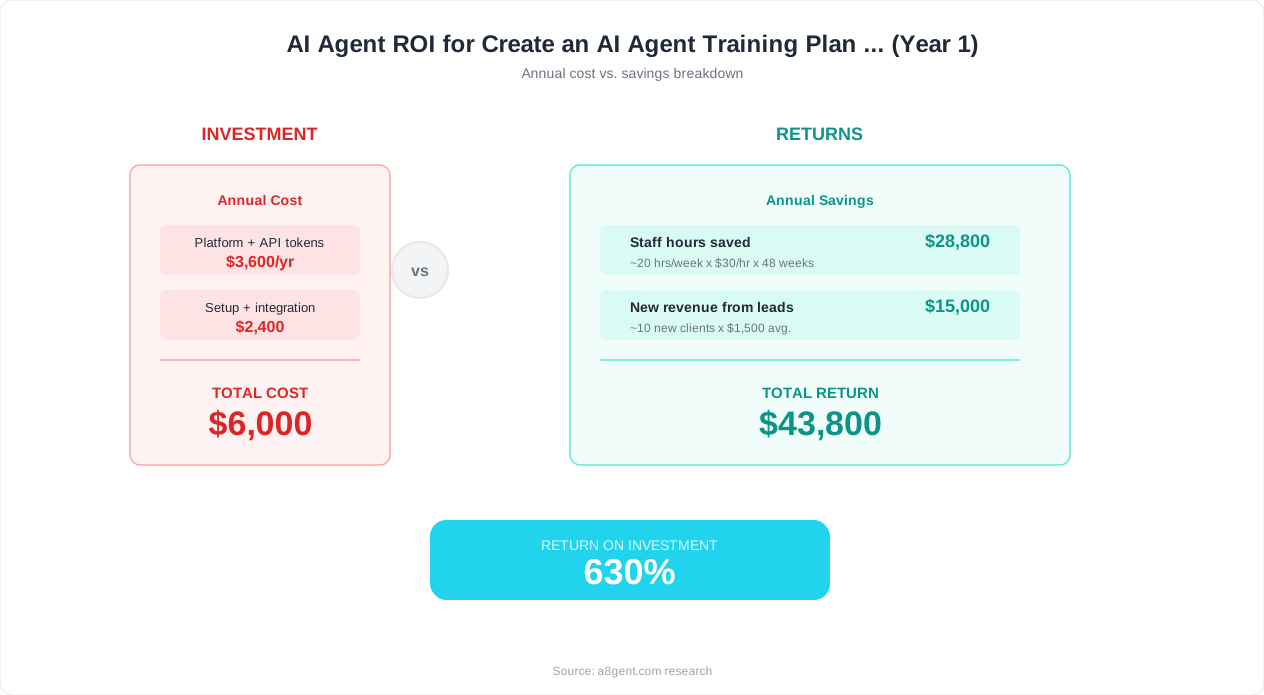
The total time investment per team member is approximately 40-50 hours over 12 weeks, or 3-4 hours per week. For the manager, add 15-20 hours for planning, facilitation, and coaching. This investment typically pays for itself within 2-3 months through time savings on automated tasks.
For the full template with facilitator scripts, exercise handouts, and assessment rubrics, visit the Team AI Agent Training Plan template. For the complete curriculum with all four modules pre-built, the Team AI Agent Training Course saves managers 20-30 hours of curriculum development time.
FAQ
How much time should managers allocate for AI agent training each week?
Plan for 3-4 hours per week per team member during the 12-week training period. For the manager, add 2-3 hours per week for facilitation, coaching, and administration. After the formal training period, ongoing maintenance requires about 1-2 hours per week per person for practice, review, and skill development. The front-loaded investment pays off quickly - most teams recoup the training time within 2-3 months through task automation.
What if some team members learn much faster than others?
This is normal and expected. Convert fast learners into peer mentors for the practice project phase - this reinforces their own learning while supporting slower learners. Pair them with team members who are struggling, but frame it as collaboration rather than remediation. Avoid creating a two-tier system where advanced users move ahead while others feel left behind. The goal is team-wide competency, not individual excellence.
Should we train the entire team at once or in cohorts?
For teams of 10 or fewer, train everyone together - the shared learning experience builds cohesion and everyone has the same context. For teams of 11-25, run two cohorts staggered by 2-3 weeks, with the first cohort's champions supporting the second cohort. For teams over 25, use a train-the-trainer model where you certify 4-6 internal trainers who then each run their own cohort.
What's the minimum budget needed for an AI agent training program?
The core costs are: AI agent platform subscription (typically $20-100/user/month), training time (the biggest cost - calculate hours x average hourly rate), and optionally a structured training course. You can run a basic program with just the platform subscription and this guide. For a more comprehensive program with ready-made materials, the Team AI Agent Training Course provides everything a facilitator needs. Total budget for a 10-person team: typically $2,000-5,000 for the 12-week program, including platform costs.
How do we know when the training is 'done' and the team is ready?
Training is never fully done - AI capabilities evolve constantly. But your team is ready for independent operation when: 80%+ of team members use agents weekly, agent output accuracy is 85%+ without heavy editing, team members can troubleshoot and fix prompt issues independently, and at least 2-3 use cases are running in production with measured time savings. Most teams reach this point between months 3-4 of the program.