AI Agent Security: Is Your Business Data Safe? (2026 Guide)
Business owners deploying AI agents worry about data breaches, privacy violations, and unauthorized access. This guide explains the real security risks of AI automation, how to evaluate platform safety, and the practical steps that keep your business data protected.
10+ years shipping production ML across TensorFlow, PyTorch, AWS, and GCP. Ships every A8gent agent before it becomes a lesson. GitHub
- The biggest security risk with AI agents is not sophisticated hacking - it is misconfigured permissions that give agents access to more data than they need, creating unnecessary exposure to both breaches and accidental data leakage.
- Evaluating an AI platform's security requires checking five specific factors: data encryption standards, data residency options, SOC 2 or equivalent certification, clear data retention policies, and whether your data is used to train their models.
- Self-hosted solutions like n8n provide maximum data security because your information never leaves your infrastructure - but they require you to manage your own security updates and access controls.
- The practical minimum security standard for any AI agent handling business data includes end-to-end encryption, role-based access controls, audit logging, and a written data processing agreement from the vendor.
- Most AI security incidents affecting small businesses result from weak passwords, overshared API keys, and employees connecting AI tools to business accounts without approval - address these human factors first before worrying about platform-level threats.
The Real State of AI Agent Security in 2026
As a business owner, you are caught between two competing pressures. On one side, AI agents offer genuine productivity gains - automating workflows, handling customer interactions, processing documents, and managing operations more efficiently than manual approaches. On the other side, deploying AI means giving third-party systems access to your business data: customer information, financial records, internal communications, strategic documents, and proprietary processes.
The security question is not theoretical. In the past year, multiple AI platforms have experienced data incidents - from accidental data exposure between customer accounts to breaches that leaked training data containing customer information. At the same time, thousands of businesses use AI agents daily without incident, processing sensitive data securely through well-designed platforms with proper controls. The reality is nuanced: AI agent security is neither categorically safe nor categorically dangerous. It depends entirely on which platforms you choose, how you configure them, and what security practices you maintain.
This guide cuts through both the fear-mongering ("AI will leak all your data") and the dismissiveness ("security is not a real concern") to give you a practical, business-owner-focused understanding of AI agent security in 2026. We cover the actual risks - ranked by likelihood and impact - the questions you should ask any AI platform before trusting it with your data, the configuration practices that prevent most security incidents, and the compliance considerations that matter for regulated industries.
Importantly, this is not a guide that concludes "do not use AI until it is perfectly safe." Perfect security does not exist for any business tool - including the email, cloud storage, and SaaS platforms you already use daily. The goal is informed risk management: understanding what risks exist, reducing them to acceptable levels through proper practices, and making confident decisions about which data to entrust to AI systems and which to keep in human-only workflows.
Whether you are evaluating your first AI agent platform, auditing an existing deployment, or building a security policy for AI tool usage across your team, this guide provides the frameworks and checklists you need. Our platform comparison tool includes security ratings for each platform to help you make informed choices, and our assessment tool evaluates your specific security requirements against available options.
Let us start with the risks that actually affect small and mid-sized businesses - not the theoretical nation-state attacks that make headlines but the practical security issues that cause real damage to real companies.
The Real Security Risks: What Actually Threatens Your Business
Security discussions often focus on dramatic scenarios - sophisticated hackers breaching encrypted databases or nation-state actors targeting AI systems. While these threats exist, they are not what typically impacts small and mid-sized businesses using AI agents. The risks that actually cause damage are more mundane - and more preventable.
Risk 1: Overpermissioned Access (High Likelihood, High Impact)
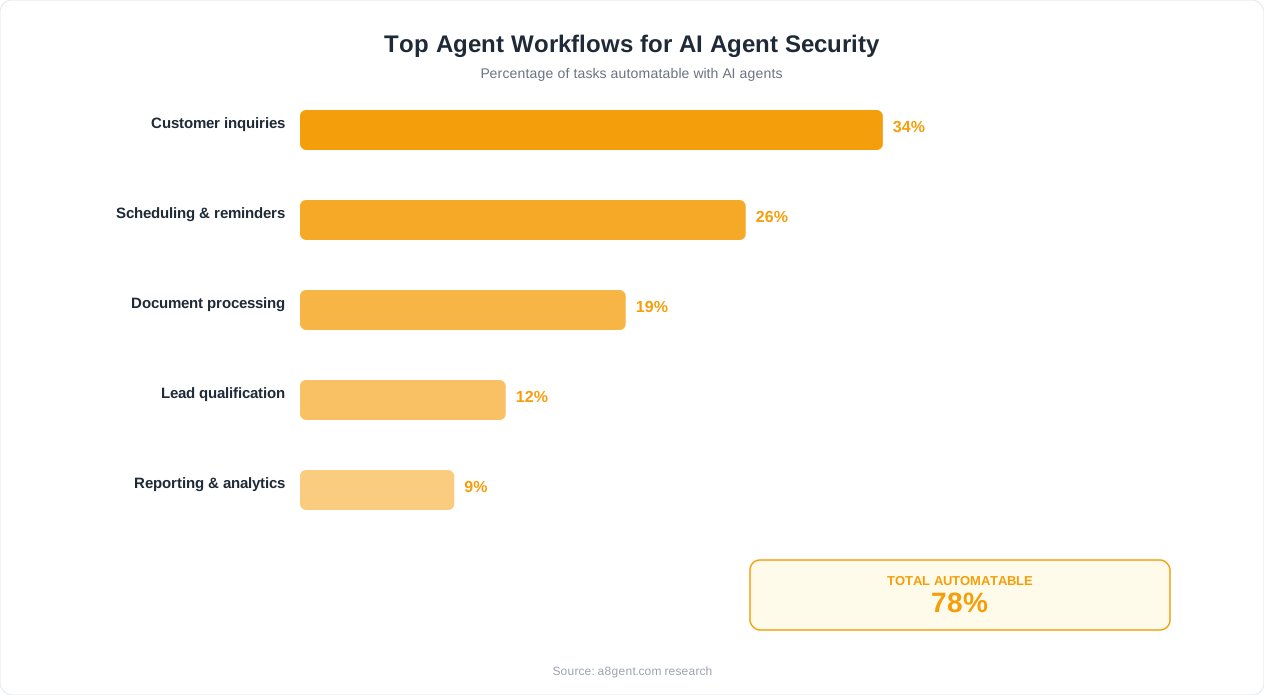
The most common security issue with AI agents is giving them more access than they need. When you connect an AI agent to your Google Workspace, CRM, or communication tools, you often grant broad permissions because it is easier than configuring granular access. An AI agent that only needs to read customer emails to extract data might have permission to send emails on your behalf, access all folders, or modify contacts. If that agent is compromised or malfunctions, the blast radius includes everything it can access - not just what it was designed to use. This over-permissioning creates unnecessary risk that is entirely within your control to reduce.
Risk 2: API Key Exposure (High Likelihood, Variable Impact)
AI agent workflows require API keys - authentication credentials that grant access to your connected services. These keys are frequently mishandled: stored in unsecured locations, shared between team members via chat or email, included in workflow configurations that are accessible to anyone with platform access, or left active after employees depart. A single exposed API key can provide full access to your email, CRM, payment processor, or other connected systems. This is a human practices problem more than a technology problem, but its consequences are severe.
Risk 3: Data Leakage Through AI Training (Medium Likelihood, Medium Impact)
Some AI platforms use customer data to improve their models - meaning your business data, customer conversations, and internal processes could become part of a system that serves your competitors. Not all platforms do this, and many offer explicit opt-out options, but the default settings vary. If you process sensitive client information, competitive strategies, or proprietary processes through an AI agent without verifying the platform's data usage policies, you may unknowingly contribute your valuable information to a shared training dataset.
Risk 4: Account Compromise Through Weak Authentication (Medium Likelihood, High Impact)
AI platform accounts often centralize access to multiple business systems through integrations. If an attacker gains access to your AI platform account - through password reuse, phishing, or lack of multi-factor authentication - they potentially access everything the platform connects to: your CRM data, email accounts, financial systems, and customer information. The AI platform becomes a single point of failure that, if breached, exposes your entire connected ecosystem rather than just one isolated system.
Risk 5: Vendor Security Incidents (Low Likelihood, High Impact)
Even well-configured deployments carry the risk of the AI platform itself being breached. While established platforms invest heavily in security, no system is immune. A vendor breach could expose your stored workflows, API credentials, processed data, or integration configurations. Mitigating this requires choosing vendors with strong security track records, limiting what sensitive data resides on the platform, and maintaining the ability to revoke access quickly if an incident occurs.
Understanding these ranked risks allows you to focus security efforts where they matter most: proper permission configuration, credential management, and authentication practices address the top three risks - which are entirely within your control. Assess your current security posture to identify which risks are most relevant to your specific AI deployment.
How to Evaluate AI Platform Security Before You Buy
Not all AI platforms take security equally seriously. Before trusting any platform with your business data, evaluate it against these specific criteria. If a vendor cannot clearly answer these questions, that tells you something important about their security maturity.
Data Encryption Standards
Ask: Is data encrypted both in transit (while being sent to and from the platform) and at rest (while stored on their servers)? The minimum acceptable standard in 2026 is TLS 1.3 for transit encryption and AES-256 for data at rest. Most reputable platforms meet this standard, but verify rather than assume. Also ask whether encryption keys are managed by the vendor or whether you can bring your own keys (BYOK). Customer-managed encryption keys provide an additional security layer - even if the vendor's systems are breached, your data remains encrypted with keys only you control.
Data Residency and Jurisdiction
Ask: Where is my data physically stored, and which legal jurisdiction governs it? This matters for two reasons. First, data protection laws vary by country - GDPR in Europe, CCPA in California, and various other frameworks impose different requirements. Knowing where your data resides tells you which laws protect it. Second, some businesses (particularly those serving government, healthcare, or financial clients) have contractual requirements about data residency that prohibit storage in certain jurisdictions. Ensure the platform offers data residency options compatible with your requirements.
Compliance Certifications
Ask: Do you hold SOC 2 Type II, ISO 27001, or equivalent security certifications? These certifications mean an independent auditor has verified that the platform implements proper security controls. SOC 2 Type II is particularly valuable because it verifies controls over a sustained period (typically 6-12 months), not just at a single point in time. Platforms without these certifications may still be secure, but you have no independent verification - you are trusting their word alone. For businesses handling sensitive data, certification should be a minimum requirement.
Data Retention and Deletion Policies
Ask: How long do you retain my data, and can I request complete deletion? Understand what happens to your data after you process it through the platform, after you cancel your account, and what the platform retains for their own purposes. Acceptable answers include: configurable retention periods, automatic deletion after processing, and complete data removal within a defined timeframe (typically 30 days) after account cancellation. Red flags include: indefinite retention, inability to delete specific data, or vague language about "aggregate" data retention.
AI Model Training and Data Usage
Ask: Is my data used to train or improve your AI models? This is the question that differentiates platforms most clearly. Some platforms explicitly exclude customer data from model training. Others include it by default but offer opt-out. Others provide no option and use all processed data for improvement. For businesses processing proprietary or sensitive information, choose platforms that contractually guarantee your data is not used for training - regardless of opt-out options that might change in future terms of service updates.
Access Controls and Audit Logging
Ask: Can I control who on my team accesses what, and is all activity logged? Role-based access control (RBAC) means you can restrict team members to only the workflows and data they need. Audit logging means every action - who accessed what, when, and what they did - is recorded and reviewable. Both are essential for businesses with multiple team members using AI agents. Without RBAC, any team member can access any workflow and its connected data. Without audit logs, you cannot investigate if something goes wrong. Compare platforms on these specific security features using our evaluation tool.
Security Configuration: Practical Steps That Prevent Most Incidents
The majority of AI security incidents affecting small businesses are preventable through proper configuration and practices. These steps require no technical expertise - just discipline and attention during setup.
Principle of Least Privilege for Every Integration
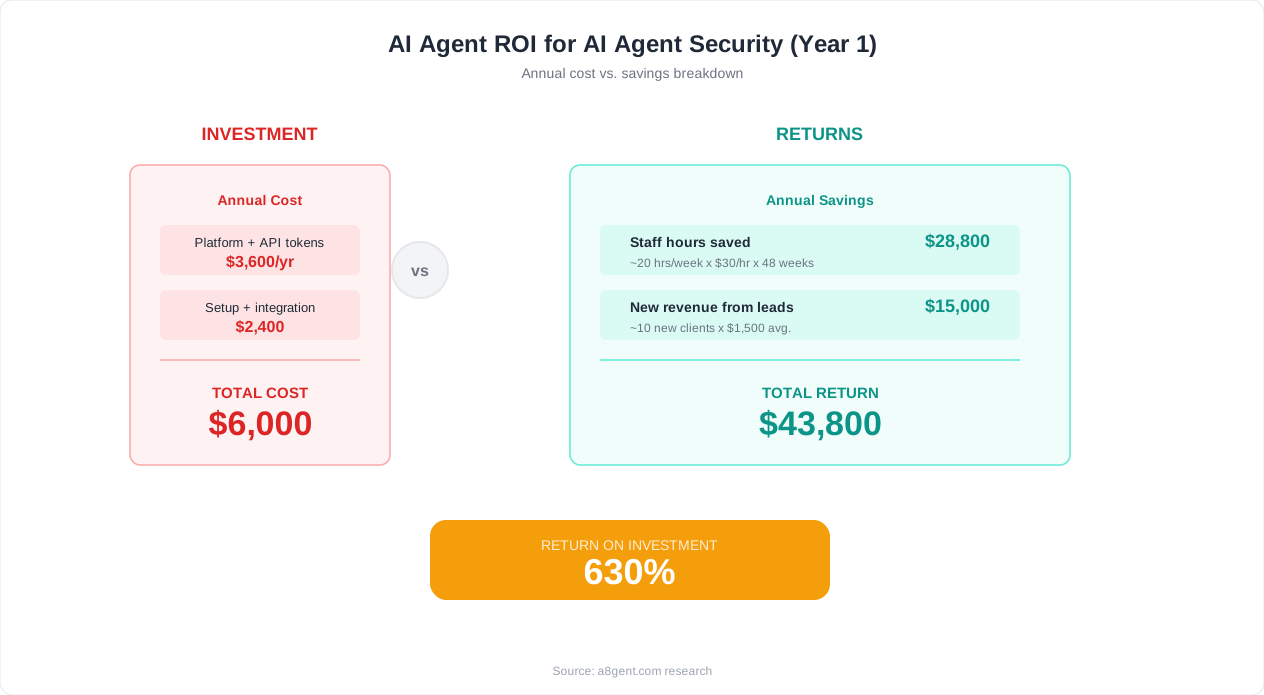
When connecting an AI agent to any business tool, grant the minimum permissions required for the specific workflow. If an agent needs to read emails to extract order information, grant read-only email access - not full account access. If an agent needs to update CRM contact records, grant write access to specific fields - not administrator access to the entire CRM. Every additional permission you grant expands the potential damage if that connection is compromised. Review and reduce permissions quarterly, removing access that workflows no longer need. Most platforms allow you to audit connected permissions - do this regularly.
Dedicated Service Accounts
Never connect AI agents using your personal accounts or your administrator credentials. Create dedicated service accounts with limited permissions specifically for AI agent integrations. If the AI agent's access is compromised, the attacker gains access only to the limited service account - not your full administrative capabilities. Dedicated accounts also make audit trails clearer (you can distinguish AI agent activity from human activity) and simplify permission revocation (disable one service account versus untangling shared credentials).
Multi-Factor Authentication Everywhere
Enable MFA on your AI platform account, on every integrated service, and on team member accounts that access AI workflows. MFA prevents the most common attack vector - credential theft through phishing or password reuse - from granting access to your AI systems and their connected data. In 2026, any platform that does not support MFA should not be trusted with business data. Use authenticator apps (not SMS) for strongest protection.
API Key Rotation and Management
Treat API keys like passwords: rotate them periodically (at minimum quarterly), immediately revoke keys when employees leave, never share keys through unencrypted channels (email, chat, documents), and store them exclusively in secure key management systems or the platform's built-in secrets storage. Many platforms offer automatic key rotation - enable this feature wherever available. If you cannot account for where every active API key is stored and who has access to it, your security posture has a gap that needs immediate attention.
Data Classification Before Automation
Before automating any workflow, classify the data it handles: public (no restriction), internal (limited to employees), confidential (restricted to specific roles), or highly sensitive (maximum protection required). Apply automation differently based on classification. Public and internal data can flow through cloud AI platforms with standard security. Confidential data requires verified platform security (certifications, encryption, access controls). Highly sensitive data (financial records, health information, legal documents) may require self-hosted solutions where data never leaves your infrastructure. N8n self-hosted is ideal for this latter category.
Regular Access Reviews
Monthly, review: which AI agents are active and what they access, which team members have access to the AI platform, which integrations are connected and their permission levels, and whether any connected services have changed their security posture. This 30-minute monthly review catches permission drift, abandoned integrations, and departed employees whose access was not revoked. Simple discipline prevents the gradual accumulation of security risk that eventually leads to incidents. Platforms like Autonoly provide built-in access review dashboards that simplify this process.
Compliance and Regulation: What Your Industry Requires
Beyond general security best practices, specific industries face regulatory requirements that constrain how AI agents can be deployed. Understanding your compliance obligations before implementing AI automation prevents costly violations and potential legal liability.
GDPR and Data Protection (All Businesses with EU Contacts)
If you handle data from EU residents - customers, contacts, website visitors - GDPR applies regardless of where your business is located. AI agents processing personal data must comply with several requirements: you need a lawful basis for processing (typically legitimate interest or consent for marketing data), you must be able to honor data subject access requests (provide all data you hold on an individual) and deletion requests (remove their data from all systems including AI platforms), and your AI platform vendor must sign a Data Processing Agreement (DPA) specifying how they handle personal data. Most reputable platforms offer DPAs - request one before deploying any workflow that processes EU personal data.
HIPAA (Healthcare and Health-Related Businesses)
Businesses handling protected health information (PHI) face strict requirements under HIPAA. Not all AI platforms are HIPAA-eligible, and using a non-compliant platform for PHI processing creates significant legal liability. Key requirements: the AI platform vendor must sign a Business Associate Agreement (BAA), data must be encrypted to HIPAA standards, access must be controlled and logged, and incident notification requirements must be contractually addressed. If your business touches health data - even tangentially (fitness coaching, wellness products, dental practices) - verify HIPAA eligibility specifically before connecting any health-related data to AI agents.
Financial Services Regulations (SOX, PCI-DSS, FINRA)
Financial businesses face multiple overlapping regulations. SOX requires audit trails for financial data processing - ensure your AI platform provides comprehensive logging of every action taken on financial data. PCI-DSS governs credit card data - AI agents should never process or store card numbers directly; use tokenized references instead. FINRA requires retention of all business communications - AI-generated communications with customers must be captured and retained. For financial services businesses, self-hosted AI solutions often provide the strongest compliance posture because you maintain complete control over data handling, retention, and access.
State Privacy Laws (CCPA, CPRA, and Others)
Multiple US states have enacted privacy legislation with varying requirements. California's CCPA/CPRA is the most stringent, requiring businesses to disclose what personal data they collect, allow consumers to opt out of data sales, and delete data on request. If your AI agents process data from California residents (or other states with similar laws), ensure your workflows can accommodate these rights. This means knowing exactly what data flows through your AI systems and being able to locate and delete specific individual's data when requested.
Industry-Specific Considerations
Legal practices must consider attorney-client privilege implications when processing client communications through AI. Real estate businesses handling transaction documents must ensure AI platforms comply with state real estate regulations regarding document handling. Insurance agencies must verify compliance with state insurance data regulations that vary by jurisdiction. Educational institutions must comply with FERPA regarding student data. Before automating any workflow involving regulated data, consult with your compliance advisor about the specific requirements that apply.
The Practical Compliance Approach
For most small businesses, compliance comes down to three actions: identify which regulations apply to your specific data types, choose AI platforms that explicitly support those compliance requirements (certifications, DPAs, BAAs), and document your compliance measures in a written policy that your team follows. Our assessment tool includes compliance requirement identification based on your industry and data types.
Self-Hosted vs Cloud AI: Security Trade-offs for Business Owners
One of the most significant security decisions you face is whether to use cloud-hosted AI platforms or self-hosted solutions. Each approach offers different security characteristics, and the right choice depends on your data sensitivity, technical capability, and risk tolerance.
Cloud-Hosted AI Platforms: Convenience with Delegation of Trust
Cloud platforms like Autonoly, Relevance AI, and Zapier manage infrastructure security on your behalf. They invest in security teams, maintain certifications, implement monitoring, and patch vulnerabilities - all without requiring your involvement. For businesses without dedicated IT security staff, this delegation is valuable: you benefit from professional security management that would cost tens of thousands annually to replicate internally. The trade-off is trust: you are trusting the vendor to maintain proper security, handle your data responsibly, and notify you promptly if incidents occur. You cannot verify their security measures directly - you rely on certifications and contractual commitments.
Self-Hosted AI Solutions: Maximum Control with Maximum Responsibility
N8n self-hosted represents the other end of the spectrum. Your data never leaves your infrastructure. No third party accesses your workflows, credentials, or processed data. You control encryption, access, retention, and deletion completely. For businesses handling highly sensitive data - legal client communications, financial records, health information, or trade secrets - this provides the strongest possible data security because the attack surface includes only your own infrastructure, not a shared multi-tenant platform. The trade-off is responsibility: you must manage security updates, server hardening, backup, access controls, and monitoring yourself. Misconfigured self-hosted infrastructure can be less secure than a well-managed cloud platform.
The Hybrid Approach: Best of Both Worlds
Many security-conscious businesses adopt a hybrid approach: cloud-hosted AI for non-sensitive workflows (social media posting, general content creation, scheduling) and self-hosted solutions for sensitive workflows (client data processing, financial calculations, document handling). This balances convenience with security by matching the security level to the data sensitivity. Cloud platforms handle the workflows where a breach would be embarrassing but not catastrophic. Self-hosted handles the workflows where data exposure could cause serious harm.
Security Factors Favoring Cloud
Professional security teams monitoring 24/7, regular penetration testing, automatic security patches, redundancy and disaster recovery, compliance certification maintenance, DDoS protection, and encryption management. For non-technical business owners, these capabilities are difficult and expensive to replicate on self-hosted infrastructure. If your data sensitivity does not demand self-hosting, cloud platforms typically provide stronger security than DIY infrastructure management for most small businesses.
Security Factors Favoring Self-Hosted
Complete data sovereignty (data never leaves your control), elimination of multi-tenant risk (no possibility of cross-customer data exposure), independence from vendor security decisions (you control your own security posture), no data residency concerns (you choose exactly where servers run), and elimination of vendor lock-in security risk (if a cloud vendor is breached, you are not affected). For businesses where data exposure carries severe consequences - legal liability, regulatory fines, competitive damage - self-hosting's additional control justifies the operational complexity.
Making the Decision
Ask three questions: What is the worst realistic consequence if your AI platform's data were exposed? Do you have the technical capability (internally or through a trusted partner) to maintain self-hosted infrastructure security? Are your compliance requirements satisfied by cloud platforms' existing certifications? If exposure consequences are manageable and cloud compliance is sufficient, cloud platforms serve you well. If exposure consequences are severe or compliance requires direct data control, self-hosting is worth the additional complexity. Compare platform security features to find cloud options that meet your specific requirements.
Building a Security Culture: Your Team's Role in AI Safety
Technical security measures fail if your team's practices create vulnerabilities. The human element is consistently the weakest link in AI security - not because people are careless, but because secure practices are not always intuitive. Building security awareness specifically around AI tool usage prevents the most common incidents.
AI Tool Governance Policy
Create a simple written policy covering: which AI tools are approved for business use (preventing shadow AI that bypasses security controls), what data types can be processed through AI systems (preventing sensitive data from flowing into unsecured tools), who can connect AI tools to business accounts (preventing unauthorized integrations), and the approval process for new AI tools (ensuring security evaluation before deployment). This policy need not be complex - a single page covering these four areas prevents the most common team-level security failures. Review and update it quarterly as your AI stack evolves.
Shadow AI Prevention
Shadow AI - team members using unapproved AI tools with business data - is the fastest-growing security risk for businesses in 2026. An employee copies customer data into ChatGPT to draft a response. Another uploads a confidential document to an AI summarization tool. A third connects their personal AI assistant to the company CRM. Each creates an uncontrolled data flow to systems you have not evaluated for security. Address shadow AI through clear approved alternatives (give people secure AI tools that meet their needs), education about risks (explain why unapproved tools are dangerous in concrete terms), and monitoring for unauthorized connections to business accounts.
Credential Hygiene Training
Specifically train your team on AI-related credential practices: never share API keys through chat, email, or documents - use the platform's built-in secrets management or a dedicated password manager. Never reuse credentials across AI platforms. Immediately report if credentials might have been exposed (accidentally committed to code, shared in wrong channel, visible in a screenshot). Report when departing team members had access to AI credentials so they can be rotated. Five minutes of training on these points prevents the credential exposure incidents that cause most AI-related breaches in small businesses.
Incident Response Preparation
Plan what you will do before an incident occurs. Your AI security incident response plan should answer: How do we quickly revoke AI platform access if compromised (who has admin access and can act immediately)? How do we notify affected parties if customer data is exposed (who communicates, through what channel, within what timeframe)? How do we assess damage scope (what was the AI system connected to and what could have been accessed)? How do we prevent recurrence (what practice or configuration allowed the incident)? Having these answers documented before you need them means faster, calmer response when incidents occur.
Regular Security Check-ins
Monthly, spend 15 minutes on AI security: review active integrations and permissions, verify MFA is enabled on all AI accounts, check for departed employees whose access needs revoking, and confirm API keys are current (not expired or shared to wrong parties). This brief regular attention prevents the security drift that accumulates over months and eventually creates exploitable gaps. Assign this responsibility to a specific team member so it consistently happens rather than being everyone's (and therefore no one's) job.
Vendor Communication Monitoring
Subscribe to security notifications from every AI platform you use. When vendors disclose vulnerabilities, update security policies, or announce changes to data handling practices, you need to know promptly. Designate someone to monitor these communications and assess whether they require action. Several AI security incidents in the past year affected customers who did not respond to vendor notifications about required security updates or compromised credentials. Staying informed is a simple but critical security practice.
Your AI Security Action Plan: Protect Your Business Today
Security is not a one-time project - it is an ongoing practice. But you need to start somewhere, and these prioritized actions give you the strongest protection for the least effort, ordered by impact and urgency.
Today (30 Minutes): Immediate Security Wins
Enable multi-factor authentication on every AI platform account your business uses. Review the permission levels of your AI integrations and reduce any that have broader access than necessary. Change any API keys that have been shared through insecure channels (email, chat, documents). These three actions alone eliminate the most common attack vectors and take less than 30 minutes total. Do them now - not next week, not when you have time. The risk is immediate, and the fix is simple.
This Week: Foundation Building
Write a one-page AI tool governance policy covering approved tools, data classification, and access responsibilities. Audit which team members have access to your AI platforms and remove anyone who does not actively need it. Create dedicated service accounts for AI integrations rather than using personal credentials. Verify that your primary AI platforms do not use your data for model training (or opt out if they do). These foundational steps take 2-3 hours combined but establish the baseline security posture that prevents most incidents.
This Month: Comprehensive Security Setup
Evaluate your current AI platforms against the security criteria outlined earlier (encryption, certifications, data policies, access controls, audit logging). Classify your business data by sensitivity level and verify appropriate AI tools are used for each level. Implement API key rotation schedules and secure storage. Document your incident response plan. Train your team on AI-specific security practices. These investments take a full day across the month but create a security posture that protects your business for the long term.
Quarterly: Ongoing Security Maintenance
Every quarter, complete a security review: audit all active AI integrations and their permissions, verify team access is current (remove departed employees, add new ones appropriately), rotate API keys, review vendor security updates and respond to any that require action, test your incident response plan, and update your governance policy if your AI stack has changed. This quarterly discipline ensures your security posture does not degrade over time as tools, team members, and workflows evolve.
When to Engage Professional Help
If your business handles regulated data (healthcare, financial, legal), processes large volumes of sensitive customer information, or has contractual security obligations to clients or partners, consider engaging a security professional to review your AI deployment. A focused security review takes 4-8 hours and costs $500-2,000 but identifies vulnerabilities that business owners without security expertise typically miss. The investment is worthwhile when the consequences of a breach include regulatory fines, legal liability, or loss of major clients.
Resources for Next Steps
- Compare AI platforms with security-focused evaluation criteria
- Take our security assessment to identify your specific vulnerabilities and priorities
- Explore Autonoly for enterprise-grade security with small business accessibility
- Consider n8n self-hosted for maximum data sovereignty on sensitive workflows
The businesses that experience AI security incidents are almost never those that took security seriously from the start. They are the ones that deployed AI quickly, promised themselves they would "address security later," and never did. You are reading this guide, which means you are taking security seriously. Turn that intention into action today with the 30-minute immediate wins above, and build systematically from there. Your business data - and your customers' trust - deserves the protection that informed, deliberate security practices provide.
FAQ
Can AI agents access my data without my knowledge?
AI agents only access data you explicitly grant them permission to access through integrations and API connections. However, the permission grants can be broader than you realize - connecting a Gmail integration might grant access to all emails, not just the specific ones your workflow uses. Review exactly what permissions each integration requests and reduce them to the minimum necessary for your workflow to function.
Is my business data used to train AI models?
It depends on the platform. Some AI tools use customer data for model training by default, others offer opt-out, and others contractually guarantee they never use customer data for training. Always check the platform's data usage policy before processing sensitive business information. For maximum safety, choose platforms that explicitly exclude customer data from training in their terms of service or data processing agreement.
What is the most secure AI agent platform for small businesses?
For maximum security, n8n self-hosted keeps all data on your own infrastructure with no third-party access. For cloud platforms, look for SOC 2 Type II certification, end-to-end encryption, role-based access controls, and contractual guarantees against data training use. Autonoly and several enterprise platforms meet these criteria. The most secure choice depends on your specific requirements - security needs vary by industry and data type.
Do I need to tell customers that AI processes their data?
Under GDPR and many privacy regulations, yes - you must disclose automated processing of personal data in your privacy policy. Beyond legal requirements, transparency builds trust. Update your privacy policy to mention AI-assisted processing, specify what data is processed and why, and explain any automated decision-making that affects customers. Consult your privacy policy with a legal professional if you handle sensitive personal data.
What happens to my data if an AI platform goes out of business?
This is a real risk with smaller AI startups. Before committing, check: does the platform allow data export? What do their terms say about data handling during wind-down? Do they have data deletion guarantees? Protect yourself by not storing irreplaceable data exclusively on AI platforms, maintaining your own backups of important configurations and data, and choosing platforms with strong financial backing or open-source alternatives that cannot disappear.
How do I prevent employees from using unapproved AI tools with company data?
Three-pronged approach: provide approved AI tools that meet their legitimate needs (people use shadow AI when official tools are inadequate), create a clear policy about what is and is not allowed with concrete examples, and implement technical controls where possible (SSO that reveals unauthorized app connections, endpoint monitoring for data transfer to unapproved services). Education without providing alternatives does not work - give people secure options.
Is self-hosted AI more secure than cloud AI platforms?
Self-hosted provides stronger data sovereignty - your data never leaves your infrastructure. However, it is only more secure if you properly maintain the infrastructure: apply security updates promptly, configure access controls correctly, implement monitoring, and maintain backups. A poorly maintained self-hosted system can be less secure than a professionally managed cloud platform. Choose self-hosted if you have the technical capability to maintain it properly and your data sensitivity justifies the effort.
What should I do if I suspect an AI security breach?
Immediately: revoke the AI platform's access to all connected systems (disconnect integrations), change all associated passwords and API keys, enable additional authentication requirements, and document what you know about the potential breach. Next: assess the scope (what data could have been accessed), notify affected parties if personal data may have been exposed (legal requirement in many jurisdictions), contact the AI platform's security team, and engage professional help if the breach involves regulated data.