Build a Customer Support Agent With n8n
Learn how to build an AI-powered customer support agent using n8n. This tutorial covers ticket classification, knowledge base RAG, multi-channel routing, escalation logic, and CSAT tracking.
10+ years shipping production ML across TensorFlow, PyTorch, AWS, and GCP. Ships every A8gent agent before it becomes a lesson. GitHub
- A well-built customer support agent in n8n can autonomously resolve 70-85% of incoming tickets by combining ticket classification, knowledge base RAG, and multi-channel response - reducing average resolution time by over 70%.
- RAG (Retrieval-Augmented Generation) is essential for support agents - it grounds the AI's responses in your actual documentation, product guides, and past ticket resolutions rather than relying on potentially outdated LLM training data.
- Ticket classification should happen before the AI agent processes the query - routing billing issues to one workflow and technical issues to another allows each path to have specialized tools and system prompts.
- Always implement confidence-based escalation: auto-send high-confidence responses, queue medium-confidence responses for human review, and immediately escalate low-confidence queries to live agents.
- Track three key metrics post-deployment: autonomous resolution rate (target 70%+), customer satisfaction score (target 4.2+/5), and average first response time (target under 30 seconds).
Architecture of an AI Customer Support Agent
Customer support is the most common and highest-ROI use case for AI agents. The reason is structural: support queries are repetitive (80% of tickets cover the same 20 topics), they follow predictable patterns (identify issue, look up relevant information, provide solution), and the cost of human handling is high (a human agent costs $15-25 per ticket when you factor in salary, training, and overhead). An AI agent that handles the routine 80% while escalating the complex 20% delivers immediate, measurable ROI.
The architecture of a production support agent in n8n consists of five layers: intake (receiving tickets from multiple channels), classification (categorizing the ticket type and priority), resolution (the AI agent with RAG and tools), routing (auto-respond, review queue, or human escalation), and analytics (tracking performance metrics). Each layer is a distinct section of your n8n workflow, making the system modular and easy to debug.
The intake layer handles the reality that customers reach out through many channels - email, live chat, WhatsApp, social media, and help desk platforms. In n8n, you create separate trigger nodes for each channel (Email Trigger, Webhook for chat, WhatsApp webhook) and normalize the incoming data into a standard format: customerEmail, customerName, messageText, channel, timestamp. This normalization happens in a Set node that maps the channel-specific fields to your standard schema. All subsequent nodes work with the same data shape regardless of which channel the ticket came from.
Classification is the critical routing step. Before the AI agent processes the ticket, a lightweight classification determines the ticket type (billing, technical, account, shipping, general), priority (urgent, high, normal, low), and sentiment (positive, neutral, frustrated, angry). In n8n, use a dedicated AI Agent node with a classification-specific system prompt: "Classify the following customer message into exactly one category and one priority level. Respond as JSON: {category, priority, sentiment}." Use a cheaper model (GPT-4o-mini) for classification to keep costs low - classification does not need the reasoning power of a frontier model.
Here is that classification prompt spelled out in full:
SYSTEM PROMPT:
You are a support ticket classifier. Read the customer
message below and classify it into exactly one category,
one priority level, and one sentiment.

Categories: billing, technical, account, shipping, general
Priority: urgent, high, normal, low
Sentiment: positive, neutral, frustrated, angry

Respond with JSON only. No markdown fences, no extra text.

Customer message:
<<insert message text here>>

Sample output:
{
  "category": "billing",
  "priority": "high",
  "sentiment": "frustrated"
}
The classification output drives conditional routing. A Switch node examines the category and routes to specialized sub-workflows: billing tickets go to an agent with billing tools (subscription lookup, invoice retrieval, refund processing), technical tickets go to an agent with technical tools (error log search, configuration checker, documentation lookup), and so on. This specialization is a key architectural insight - a single generic agent with twenty tools performs worse than five specialized agents with four tools each. Each specialist has a focused system prompt and a curated toolset, leading to higher accuracy and faster responses.
If you are new to building AI agents in n8n, start with our n8n AI Agent Tutorial for the fundamentals before tackling the support-specific patterns in this guide. For a broader perspective on how AI agents compare to traditional support approaches, see our ChatGPT vs AI agents comparison.
Building a RAG Knowledge Base for Accurate Responses
The single biggest factor determining whether your support agent gives good or bad answers is the quality of its knowledge base. Without RAG (Retrieval-Augmented Generation), the agent relies entirely on the LLM's training data - which may be outdated, incomplete, or wrong about your specific products. With RAG, the agent searches your actual documentation before responding, grounding every answer in verified information.
Setting up RAG in n8n involves three steps: preparing your documents, creating embeddings in a vector store, and connecting the vector store as a tool for your AI Agent. Let us walk through each step.
Document preparation is where most teams underinvest. Gather all your support-relevant content: product documentation, FAQ pages, troubleshooting guides, past ticket resolutions, policy documents, and return/refund procedures. Clean the content - remove navigation elements, footers, and duplicate sections. Break long documents into chunks of 300-500 words each, ensuring each chunk is self-contained (it makes sense without reading the surrounding chunks). This chunking strategy directly impacts retrieval quality - chunks that are too large dilute the relevance signal, while chunks that are too small lose context.
In n8n, create a one-time setup workflow that processes your documents into a vector store. Use the Google Drive or HTTP Request node to fetch your documents, the Text Splitter node to chunk them, the Embeddings node (OpenAI Embeddings or Cohere) to convert chunks to vectors, and the Vector Store Insert node to store them in your chosen vector database. Supabase is a popular choice because it is free to start, integrates natively with n8n, and supports metadata filtering. Pinecone and Qdrant are also well-supported.
Connect the vector store to your AI Agent as a Vector Store Tool. Configure the tool description carefully: "Search the company knowledge base for product documentation, troubleshooting guides, FAQs, and support policies. Use this tool whenever the customer asks about product features, how to do something, error resolution, or company policies. Always search before answering to ensure accuracy." The agent will call this tool, the vector store returns the most relevant chunks, and the agent synthesizes them into a customer-friendly response.
That tool description, ready to paste into the Vector Store Tool node, reads like this:
Search the company knowledge base for product
documentation, troubleshooting guides, FAQs, and
support policies.

Use this tool whenever the customer asks about:
- product features
- how to do something
- error resolution
- company policies

Always search before answering to ensure accuracy.
A critical enhancement is adding metadata filtering to your vector store queries. When you index documents, add metadata like product, category, and last_updated. When the agent searches, filter by the relevant product (determined during classification). This prevents the agent from retrieving documentation about Product B when the customer is asking about Product A. In n8n, configure the Vector Store Tool's filter parameters to pass the classified product name as a metadata filter.
Keep your knowledge base current. Stale documentation is worse than no documentation - the agent will confidently give outdated answers. Create a scheduled n8n workflow that runs weekly, re-fetches your documentation sources, re-chunks and re-embeds the content, and replaces the old vectors. This automated refresh ensures your agent always has access to the latest information. For content that changes frequently (pricing, availability, promotions), consider using a direct API lookup tool instead of RAG - the data is always fresh because it comes from the source system in real time.
Test your RAG setup thoroughly by asking 50+ questions spanning your documentation. For each question, verify that the agent retrieves the correct chunks and synthesizes an accurate answer. Pay special attention to edge cases: questions that span multiple documents, questions about features that recently changed, and questions where similar-sounding products might cause confusion. The n8n vector store examples provide additional implementation patterns and troubleshooting guidance.
Multi-Channel Integration: Email, Chat, and Help Desk
Real customer support happens across multiple channels simultaneously. A customer might start with a live chat, follow up via email, and then message on WhatsApp. Your AI agent needs to work across all these channels while maintaining a unified view of each customer's interactions.
Email integration is typically the highest-volume channel. In n8n, use the Email Trigger (IMAP) node to monitor your support inbox ([email protected]). When an email arrives, extract the sender, subject, and body. The AI agent processes the email content and generates a response. Send the reply using the Send Email node, threading it as a reply to the original email (use the Message-ID header as the In-Reply-To header). For Gmail specifically, the Gmail Trigger node is more reliable than IMAP and supports label-based filtering.
Live chat integration works through webhooks. If you use a chat widget on your website (Intercom, Crisp, Tawk.to, or n8n's built-in chat widget), configure the widget to send incoming messages to your n8n webhook. The agent processes the message and sends the response back through the widget's API. The key difference from email is latency expectations - chat users expect responses in 2-5 seconds, while email users tolerate minutes. Optimize your chat path by using faster models and shorter memory windows.
Help desk platform integration connects your agent to established support infrastructure. Most teams use Zendesk, Freshdesk, HubSpot, or Intercom as their ticket management system. n8n has native nodes for these platforms. The pattern is: help desk trigger fires when a new ticket is created, your n8n workflow processes it through the AI agent, and the response is posted as an internal note or customer reply in the help desk. This approach keeps your existing workflow intact - human agents still use their familiar help desk interface, and the AI agent is just another "team member" that handles tickets within the same system.
For Zendesk specifically, configure the Zendesk Trigger node to fire on new tickets. After the AI agent generates a response, use the Zendesk node to add the response as a public comment on the ticket and optionally set the ticket status to "solved." If the agent is uncertain, add the response as an internal note for human review instead of sending it directly to the customer. This mirrors how a junior support agent might draft a response and have a senior agent review it before sending.
The unified customer view is critical for cross-channel coherence. Maintain a customer record (in a database, Google Sheet, or your CRM) that tracks each customer's interaction history across all channels. When a ticket comes in, look up the customer by email or phone number and include their recent interaction history in the AI agent's context. This prevents the frustrating experience where a customer has to explain their issue again because they switched from chat to email. In n8n, add a database lookup node before the AI Agent that fetches the customer's last 5 interactions and includes them in the system prompt as background context.
Channel-specific formatting matters. Email responses should be longer and more formal with proper greetings and signatures. Chat responses should be short and conversational. WhatsApp responses should use line breaks generously and avoid markdown. Include formatting instructions in your system prompt based on the channel: "You are responding via {{channel}}. For email, use a professional tone with a greeting and signature. For chat, keep responses under 3 sentences. For WhatsApp, use short paragraphs with line breaks." The channel variable is set during the intake normalization step.
Building Smart Escalation and Routing Workflows
Escalation logic is what makes the difference between an AI agent that frustrates customers and one that delights them. The goal is simple: let the AI handle what it can handle well, and seamlessly route everything else to the right human - fast.
Implement a three-tier response system. Tier 1: the AI agent is confident and sends the response directly to the customer with no human involvement. Tier 2: the AI agent is moderately confident and drafts a response that goes to a human review queue - the human can approve, edit, or reject before it reaches the customer. Tier 3: the AI agent identifies that it cannot handle the query and immediately routes to a human agent with full context.
To implement this in n8n, have your AI Agent output structured JSON: {"response": "...", "confidence": 0.92, "tier": 1, "reasoning": "FAQ match with high relevance score"}. Use the Output Parser node to extract this structure, then a Switch node to route based on the tier value. Tier 1 goes directly to the response channel. Tier 2 goes to a Slack message or help desk internal note for review. Tier 3 assigns the ticket to a human agent and sends the customer a "We are connecting you with a specialist" acknowledgment.
The AI Agent's structured output should look like this:
{
  "response": "Your refund was processed on May 3rd and should appear within 5-7 business days.",
  "confidence": 0.92,
  "tier": 1,
  "reasoning": "FAQ match with high relevance score"
}

{
  "response": null,
  "confidence": 0.41,
  "tier": 3,
  "reasoning": "No knowledge base match; account-specific billing dispute requires human review"
}
The confidence threshold calibration requires iteration. Start conservatively: set Tier 1 at confidence > 0.9, Tier 2 at 0.6-0.9, and Tier 3 at < 0.6. Monitor the accuracy of Tier 1 responses for the first two weeks. If the AI is consistently correct at 0.9+, lower the threshold to 0.85. If you see errors, raise it to 0.95. The goal is to maximize the volume of Tier 1 (automatic) responses while maintaining accuracy above 95%. This calibration is your highest-leverage optimization - every 5% shift in the threshold represents a significant change in human workload.
For priority-based routing, use the ticket classification from the intake step. Urgent tickets from enterprise customers should be escalated to senior agents immediately, regardless of AI confidence. VIP customers (identified by email domain or CRM status) might always get human-reviewed responses. Implement this with a priority lookup early in the workflow: check the customer's account tier in your CRM, and if they are enterprise or VIP, override the routing logic to always include human review. In n8n, the IF node combined with a CRM lookup makes this straightforward.
Build an escalation handoff packet that gives the human agent everything they need. When a ticket escalates, the handoff should include: the customer's original message, the AI's attempted response (even if it was not confident enough to send), the classification (category, priority, sentiment), relevant knowledge base excerpts that were retrieved, the customer's interaction history, and the reason for escalation. Package this as a structured message and send it to the human agent's queue. This context-rich handoff eliminates the need for the human agent to re-investigate and dramatically reduces their handling time.
Track escalation patterns to identify systemic improvements. If 30% of escalations are about a specific product feature, that is a signal to improve your knowledge base documentation for that feature. If escalations spike after a product update, your documentation refresh might be lagging. In n8n, create a weekly analytics workflow that queries your escalation log, groups by reason and category, and surfaces the top escalation drivers. Address the top three drivers each week, and your autonomous resolution rate will steadily climb. For more on optimizing the full customer journey with AI, see our automated customer onboarding guide.
Customer Satisfaction Tracking and Continuous Improvement
Deploying the agent is step one. The ongoing work - measuring satisfaction, identifying failure patterns, and iteratively improving - is what determines long-term success. Without measurement, you are flying blind. With good measurement, you can systematically improve your agent every week.
Implement CSAT surveys at the end of every AI-resolved conversation. After the agent sends its final response, wait 5 minutes (use n8n's Wait node), then send a follow-up message: "Was this helpful? Reply 1 (Very helpful) to 5 (Not helpful at all)." Parse the response and store it alongside the conversation record. For email, include a one-click rating in the response footer using HTML links that call your n8n webhook with the rating value. For chat, use interactive buttons. The response rate on these surveys is typically 15-25%, which is enough data to track trends.
Beyond CSAT, track operational metrics in a dashboard. The five essential metrics are: (1) Autonomous Resolution Rate - percentage of tickets resolved without human involvement (target: 70-85%). (2) First Response Time - time from ticket creation to first response (target: under 30 seconds for chat, under 5 minutes for email). (3) Average Handle Time - total time from ticket creation to resolution (target: under 2 minutes for AI-resolved tickets). (4) Escalation Rate - percentage of tickets requiring human intervention (target: 15-30%). (5) Error Rate - percentage of tickets where the AI gave incorrect information (target: under 3%).
Build the dashboard workflow in n8n. Create a scheduled workflow that runs daily at 9 AM. It queries your conversation log (Google Sheets, database, or n8n's execution history), computes the five metrics for the previous day and the trailing 7-day average, and posts a summary to your team's Slack channel. Include a comparison to the previous week so you can spot trends. If any metric degrades significantly (error rate jumps from 2% to 5%, for instance), flag it in the summary so someone investigates promptly.
The most valuable improvement practice is weekly failure reviews. Every week, pull the 10 lowest-rated conversations and the 10 most recent escalations. Read through each one and categorize the failure: Was the knowledge base missing information? Did the agent misclassify the ticket? Did the agent retrieve the right information but synthesize it poorly? Was the customer's request genuinely outside the agent's capabilities? Each category has a different fix: missing knowledge base content requires documentation updates, misclassification requires system prompt refinement, poor synthesis requires few-shot examples in the prompt, and capability gaps might require new tools.
Implement A/B testing for system prompt improvements. When you want to test a new prompt, create a Switch node that randomly assigns 50% of tickets to the current prompt and 50% to the new prompt.
A Code node that randomly assigns each ticket to a prompt variant looks like this:
const items = $input.all();

for (let i = 0; i < items.length; i++) {
  items[i].json.promptVariant =
    Math.random() < 0.5 ? "A" : "B";
}

return items;
After one week, compare CSAT scores and resolution rates between the two groups. This prevents the common mistake of making a change that improves one scenario but degrades another - A/B testing reveals the net impact across all ticket types.
Finally, build a feedback loop that automatically improves the knowledge base. When a human agent resolves an escalated ticket, trigger a workflow that extracts the resolution and adds it to the knowledge base. Over time, this creates an ever-expanding repository of solutions that the AI can leverage. The agent learns from every human interaction - not through fine-tuning the model, but through growing the knowledge base that informs its RAG responses. This organic improvement mechanism means your agent gets better every week with minimal manual effort. For organizations looking to deploy this kind of iterative AI system at scale, our complete AI agent implementation guide covers the organizational and technical patterns for enterprise rollouts.
Advanced Patterns: Sentiment Analysis, Proactive Support, and Multi-Language
Once your basic support agent is running well, these advanced patterns can significantly enhance the customer experience and your agent's effectiveness.
Real-time sentiment analysis enables dynamic behavior adjustment. During a conversation, track the customer's sentiment across messages. If sentiment deteriorates (frustrated language, repeated questions, escalating urgency), the agent should adapt: switch to a more empathetic tone, offer to connect with a human sooner, and prioritize resolution speed over thoroughness. In n8n, implement this with a sentiment scoring node after each customer message. Store the sentiment trajectory in the session and include it in the AI Agent's context: "The customer's sentiment has shifted from neutral to frustrated over the last 3 messages. Prioritize empathy and resolution speed." This subtle adaptation dramatically improves satisfaction for frustrated customers.
Proactive support means reaching out before the customer contacts you. Create scheduled n8n workflows that monitor for support-triggering events: a customer's subscription is about to expire (send a renewal reminder), an order has been in transit for longer than usual (proactively send a delay notification with tracking info), a customer has visited the help center three times in an hour without submitting a ticket (trigger a proactive chat offer). These workflows use n8n's Schedule Trigger combined with database queries or webhook integrations with your analytics platform. Proactive support resolves issues before they become complaints - the highest form of customer service.
Multi-language support is increasingly important for global businesses. Modern LLMs handle multilingual conversations well - Claude and GPT-4o can respond in the same language the customer uses without explicit configuration. However, your knowledge base and tools might be in English only. For this, add a language detection step after intake (the classification LLM can detect language as part of its classification task) and a translation layer between the RAG results and the AI Agent. The agent receives translated knowledge base excerpts and generates a response in the customer's language. Test with native speakers - LLM translations are good but not perfect, especially for technical terminology. The n8n Advanced AI documentation covers multi-language agent configurations.
Automated ticket tagging and routing goes beyond simple classification. Use the AI to extract structured data from every ticket: product name, version number, error code, operating system, account type, and feature area. Store these as ticket metadata. This structured data enables powerful analytics (which product version generates the most support tickets?) and routing (tickets with error code X always go to the payments team). In n8n, have the classification AI Agent output this structured metadata alongside the category and priority, and write it to your help desk platform's custom fields.
Self-healing knowledge base is the most powerful long-term pattern. When the AI agent cannot answer a question (Tier 3 escalation), log the question and the eventual human resolution. Weekly, review these gaps and update the knowledge base. But go further: create an n8n workflow that automatically drafts knowledge base articles from successful human resolutions. A human editor reviews and approves the draft, then the article is added to the vector store. Over months, this creates a virtuous cycle where every human escalation makes the AI agent smarter, steadily reducing the need for future escalations.
The compound effect of these patterns is powerful. An agent deployed with basic RAG and classification might start at 60% autonomous resolution. Add sentiment-adaptive behavior: 65%. Add proactive support: 70%. Add multi-language: 75%. Add the self-healing knowledge base: 80%+. Each incremental improvement builds on the previous ones. The key is deploying the basic version first (do not try to build everything at once) and adding capabilities based on the actual gaps you observe in production. For businesses exploring these patterns across WhatsApp specifically, our WhatsApp AI agent tutorial covers the channel-specific implementation details.
Support does not stop at chat: see how to put the same agent on the phone with a no-code voice platform or on Telegram.
FAQ
How long does it take to build a customer support agent in n8n?
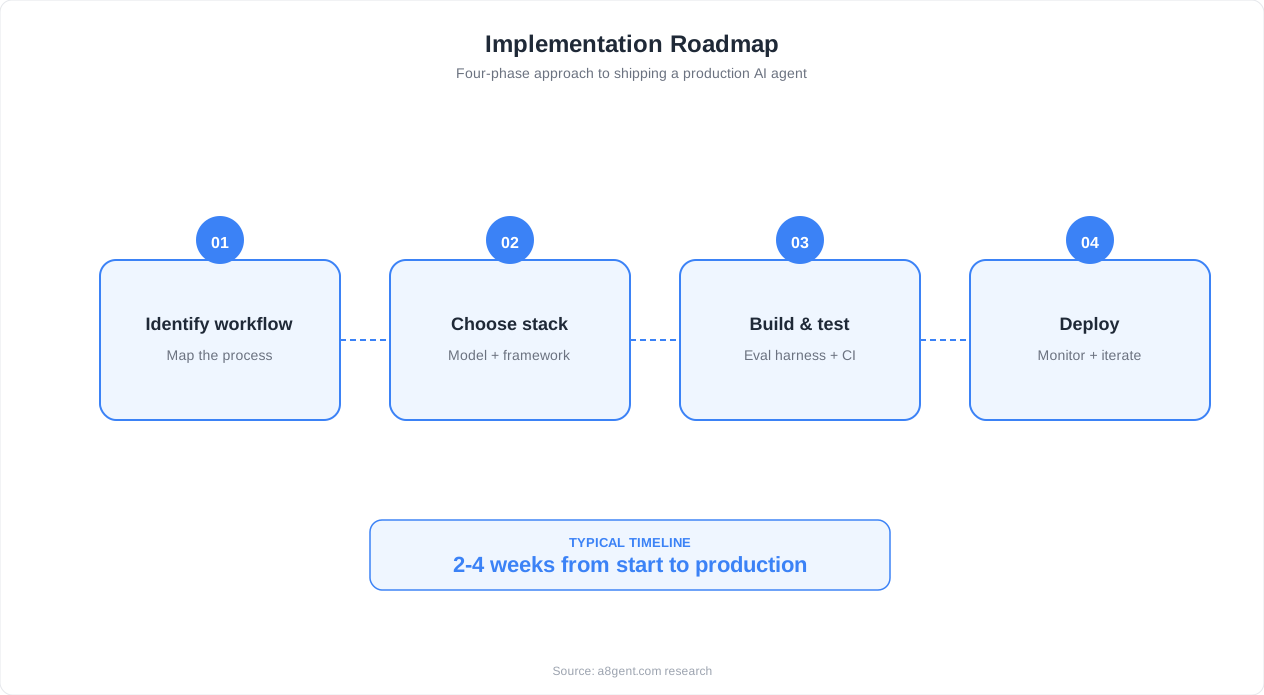
A basic support agent with RAG and email integration can be built in 4-8 hours. Adding multi-channel support, escalation workflows, and analytics takes another 8-16 hours. Plan for 2-4 weeks of iterative improvement after initial deployment to reach optimal performance.
Can the AI agent handle refunds and account changes?
Yes, but with guardrails. Connect your billing system (Stripe, payment gateway) as a tool and implement approval thresholds. The agent can process refunds under $50 automatically and escalate larger refunds for human approval. Account changes should require identity verification before execution.
What happens when the AI gives a wrong answer to a customer?
This is why confidence-based routing matters. Start with conservative thresholds so only high-confidence responses go to customers directly. When errors do occur, the CSAT survey catches them, and your weekly review process identifies the root cause. Fix the knowledge base or prompt, and the error does not repeat.
How do I integrate with my existing Zendesk or Freshdesk?
n8n has native trigger and action nodes for both Zendesk and Freshdesk. Set up a trigger on new ticket creation, process through the AI agent, and post the response as a ticket comment. The AI agent operates within your existing help desk workflow - human agents see AI responses alongside their own in the same interface.
Is the AI agent GDPR compliant for handling customer data?
Self-hosted n8n keeps all data on your infrastructure, which simplifies GDPR compliance. You still need to ensure your LLM provider's data processing agreement covers your use case. For maximum privacy, use a self-hosted LLM via Ollama - no customer data leaves your servers. Add data retention policies to automatically purge conversation logs after your required retention period.