How to Automate Invoice Processing Without a Developer (2026)
Process invoices automatically using AI agents - no coding required. This step-by-step guide shows you how to extract data from invoices, match them to purchase orders, route for approval, and update your accounting system in minutes instead of hours.
10+ years shipping production ML across TensorFlow, PyTorch, AWS, and GCP. Ships every A8gent agent before it becomes a lesson. GitHub
- AI agents can read invoices from email, extract all key data (vendor, amount, line items, dates), match to purchase orders, and route for approval - all without any coding or developer involvement.
- Automated invoice processing reduces errors by 90% and cuts processing time from 15-20 minutes per invoice to under 60 seconds, saving businesses 10-25 hours per month on average.
- Platforms like Autonoly and n8n offer pre-built invoice automation templates that you can deploy in under 2 hours, connecting to your email, accounting software, and approval workflows.
- The ROI is immediate: a business processing 50+ invoices per month saves $1,000-$3,000/month in labor costs with a tool that costs $79-Free-$149/month.
- You do not need to replace your accounting software - AI invoice agents integrate with QuickBooks, Xero, FreshBooks, and other popular tools you already use.
Why Invoice Processing Is the Perfect First Automation Project
If you are looking for the single best place to start with AI automation in your business, invoice processing is a top contender. Here is why: it is painfully repetitive, highly predictable, time-consuming, error-prone when done manually, and has immediately measurable ROI. It checks every box of what makes a perfect automation candidate.
Think about what invoice processing actually involves today in most small businesses. An invoice arrives by email (or sometimes mail). Someone opens it, reads the vendor name, invoice number, date, line items, and total amount. They check it against a purchase order or expected expense. They enter the data into your accounting system. They route it for approval if needed. They schedule payment. They file the document. Repeat 50-500 times per month.
Each invoice takes 10-20 minutes to process manually. At 100 invoices per month, that is 17-33 hours of mind-numbing work. At $25-$50/hour for the person doing it, that is $425-$1,650/month in labor - for a task that adds zero strategic value to your business. It simply must get done.
AI agents can now handle this entire workflow autonomously. They read invoices (even handwritten or poorly formatted ones), extract all relevant data with 95-99% accuracy, match against purchase orders, flag discrepancies, route for approval, update your accounting system, and file everything properly. The entire process takes seconds per invoice instead of minutes.
And here is the part that matters most for this guide: you do not need a developer to set this up. Platforms like Autonoly and n8n offer pre-built invoice processing templates that connect to your existing email and accounting software through simple point-and-click setup. If you can follow instructions and click "connect," you can automate your invoices this week.
In this guide, we will walk through exactly how AI invoice processing works, which platforms to use, how to set it up step by step, and how to handle edge cases. By the end, you will have everything you need to deploy invoice automation in your business - without writing a single line of code. Take our free assessment to confirm this is the right starting point for your business, or read on for the complete walkthrough.
How AI Invoice Processing Works (Plain English Explanation)
Before we get into the setup steps, let us understand what is happening behind the scenes when an AI agent processes an invoice. This is not magic - it is a series of well-defined steps that the AI handles automatically.
Step 1: Invoice Detection
Your AI agent monitors your designated email inbox (or shared folder) for incoming invoices. It identifies invoices based on sender patterns, subject lines, attachment types, and content analysis. When it detects an invoice, it triggers the processing workflow. This happens in real-time - the moment an invoice lands in your inbox, processing begins.
Step 2: Data Extraction
The AI reads the invoice document - whether it is a PDF, image, or email body. Using optical character recognition (OCR) combined with natural language understanding, it extracts: vendor name and contact information, invoice number and date, due date and payment terms, line items with descriptions and amounts, tax amounts, total due, and any special notes or reference numbers. Modern AI extraction handles messy formatting, different languages, and even handwritten invoices with 95-99% accuracy.
If you are configuring the extraction step yourself (for example in n8n's AI node or a custom Autonoly prompt), here is a field-extraction prompt template that returns clean, structured JSON ready to hand off to the matching and approval steps.
SYSTEM PROMPT: Invoice Data Extraction

You are an invoice data extraction assistant. Read the attached
invoice document (PDF, image, or email text) and extract the
fields below. Return ONLY valid JSON matching this schema -
no explanation text before or after.

Schema:
{
  "vendor_name": string,
  "vendor_address": string | null,
  "invoice_number": string,
  "invoice_date": string (ISO 8601),
  "due_date": string (ISO 8601) | null,
  "payment_terms": string | null,
  "line_items": [
    {
      "description": string,
      "quantity": number | null,
      "unit_price": number | null,
      "amount": number
    }
  ],
  "subtotal": number | null,
  "tax_amount": number | null,
  "total_due": number,
  "currency": string,
  "po_number": string | null,
  "extraction_confidence": number (0.0 to 1.0)
}

Rules:
- If a field cannot be found, use null - never guess a value.
- extraction_confidence should reflect your overall certainty
  across all fields, not just the total amount.
- If extraction_confidence is below 0.90, the invoice will be
  routed to human review regardless of other field values.
- Normalize all dates to ISO 8601 (YYYY-MM-DD).
- Normalize currency to a 3-letter ISO code (USD, EUR, GBP, etc).
Step 3: Validation and Matching
The agent compares extracted data against your existing records. Does this vendor exist in your system? Does the invoice number match any existing records (duplicate check)? Is there a corresponding purchase order? Do the line items and amounts match what was ordered? If everything checks out, it moves to the next step. If there are discrepancies - a different amount than expected, an unknown vendor, or a potential duplicate - the agent flags it for human review.
Step 4: Categorization and Coding
Based on the vendor, line items, and your historical patterns, the AI assigns the correct expense categories and general ledger codes. Over time, it learns your categorization preferences. New vendors get suggested categories based on the nature of the expense. This eliminates one of the most common sources of accounting errors - miscategorization.
Step 5: Approval Routing
Based on rules you define (amount thresholds, vendor type, department), the agent routes invoices for approval. Under $500? Auto-approved and processed. Between $500 and $5,000? Routes to manager. Over $5,000? Routes to owner. The approver gets a clean summary with all extracted data - they just click approve or flag.
Step 6: System Update and Filing
Once approved, the agent enters the invoice data into your accounting system (QuickBooks, Xero, FreshBooks, or whatever you use), schedules payment according to terms, and files the original document in your document management system. The entire chain - from email receipt to fully processed and filed - happens without you touching anything.
This workflow runs on platforms like Autonoly and n8n using pre-built templates. You connect your email, connect your accounting software, configure your approval rules, and the agent handles everything else.
Best Platforms for Invoice Automation (No Code Required)
Several platforms now offer invoice processing automation that business owners can set up without any development skills. Here is a comparison of the best options for different business sizes and needs.
Autonoly - Best for Non-Technical Users ($79-$249/month)
Autonoly offers a dedicated invoice processing template that you can deploy in under an hour. You connect your email inbox, connect your accounting software (supports QuickBooks, Xero, FreshBooks, and Wave), set your approval rules, and it starts processing immediately. The interface is entirely point-and-click - you never see code. It handles PDF invoices, email-body invoices, and image attachments. Accuracy rates are typically 97-99% for standard business invoices. Best for: businesses processing 20-500 invoices/month who want the simplest possible setup.
n8n - Best for Customizable Workflows ($0-$120/month)
n8n gives you more control over the exact workflow at a lower price point. Their visual workflow builder includes invoice processing nodes that you connect in a drag-and-drop interface. While it requires slightly more configuration than Autonoly, it offers maximum flexibility - you can add custom steps, connect to niche accounting tools, or build approval workflows that match your exact internal process. The self-hosted version is free; cloud starts at $20/month. Best for: businesses with unique workflows or niche tools, and those with a somewhat technical team member who enjoys building systems.
Docsumo - Best for High-Volume Document Processing ($99-$499/month)
Docsumo specializes in document extraction and processing. Their AI is specifically trained on financial documents and achieves 99%+ accuracy on invoices, receipts, and purchase orders. It integrates with major accounting platforms and offers a clean dashboard for reviewing extracted data. Best for: businesses processing 200+ invoices/month that need the highest possible accuracy, particularly those with complex multi-page invoices or international vendors.
Dext (formerly Receipt Bank) - Best for Accountants and Bookkeepers ($24-$60/month)
Dext is purpose-built for financial document processing. You forward invoices to a dedicated email address, and Dext extracts the data and syncs it to your accounting software. It has been doing this longer than most AI platforms and has excellent accuracy. The interface is simple and accountant-friendly. Best for: businesses that want a proven, accountant-recommended solution and already use QuickBooks or Xero.
Which Should You Choose?
If you want the fastest, simplest setup and process under 200 invoices/month: Autonoly. If you want maximum flexibility and control at the lowest cost: n8n. If you process 200+ invoices/month and need enterprise-grade accuracy: Docsumo. If your accountant recommends a solution and you want proven reliability: Dext. Take our assessment for a personalized recommendation based on your volume, accounting software, and technical comfort level.
Step-by-Step Setup Guide (Complete in Under 2 Hours)
Here is exactly how to set up automated invoice processing from scratch. This walkthrough uses the general approach that works across platforms - specific button locations differ, but the process is the same whether you use Autonoly, n8n, or another platform.
Step 1: Choose Your Platform and Sign Up (10 minutes)
Based on the platform comparison above, pick the one that fits your needs and budget. Sign up for a free trial or starter plan. Complete the initial onboarding flow - most platforms ask about your business type and primary use case. Select "invoice processing" or "finance automation" when prompted.
Step 2: Connect Your Email (5 minutes)
Connect the email inbox where invoices arrive. This is typically a simple OAuth authorization - click "Connect Gmail" or "Connect Outlook," log in, and grant permission. If invoices arrive at a dedicated email (like [email protected]), connect that inbox. If they arrive in your general inbox, you will set up filters in the next step to identify which emails contain invoices.
Step 3: Configure Invoice Detection Rules (15 minutes)
Tell the agent how to identify invoices in your inbox. Common approaches: filter by sender (list your regular vendors), filter by subject line keywords ("invoice," "payment due," "statement"), filter by attachment type (PDFs from specific senders), or let the AI auto-detect (most modern platforms can identify invoices without explicit rules). Start broad - you can always tighten the filters if the agent picks up non-invoices.
Step 4: Connect Your Accounting Software (5 minutes)
Connect QuickBooks, Xero, FreshBooks, or your accounting platform. Again, this is typically a simple OAuth flow. The platform needs read/write access to create bills, update vendor records, and categorize expenses. If your accounting software is not in the platform's integration list, check if it supports Zapier or API connections as an alternative.
Step 5: Set Up Expense Categories and Coding (20 minutes)
Map your chart of accounts so the AI knows how to categorize expenses. Most platforms pull your existing categories from your accounting software automatically. Then set up rules: "Invoices from Adobe always go to Software Subscriptions." "Invoices from your landlord always go to Rent." For new or unknown vendors, choose a default category or have the AI suggest one based on the invoice content.
Step 6: Configure Approval Rules (10 minutes)
Define who approves what. Example rules: Auto-approve invoices under $200 from known vendors. Route invoices $200-$2,000 to your operations manager. Route invoices over $2,000 to you directly. Flag any invoice from an unknown vendor for manual review. Most platforms let you set these as simple threshold rules with email or Slack notifications to approvers.
Step 7: Test with Real Invoices (30 minutes)
Forward 5-10 recent invoices to your connected inbox and watch the agent process them. Check: Did it extract the correct data? Did it categorize correctly? Did it route to the right approver? Did it create the bill correctly in your accounting system? Adjust your rules based on any errors. Most businesses need 2-3 small adjustments during this phase.
Step 8: Go Live with Monitoring (ongoing)
Enable the agent to process incoming invoices in real-time. For the first week, review each processed invoice daily to build confidence. After a week of clean processing, reduce your reviews to weekly spot-checks. The agent learns from your corrections, improving over time.
If you are wiring this up in n8n rather than a pre-built template, this is roughly what the webhook payload looks like when your invoice-detection workflow hands data off to the accounting-software node.
// n8n webhook payload: extracted invoice -> QuickBooks "Create Bill" node
{
  "trigger": "email.attachment.received",
  "invoice": {
    "vendor_name": "Bright Office Supplies LLC",
    "invoice_number": "INV-88231",
    "invoice_date": "2026-07-05",
    "due_date": "2026-08-04",
    "total_due": 842.50,
    "currency": "USD",
    "line_items": [
      { "description": "Printer paper (10 cases)", "amount": 320.00 },
      { "description": "Toner cartridges (4x)", "amount": 522.50 }
    ],
    "extraction_confidence": 0.97
  },
  "field_mapping": {
    "vendor_name": "quickbooks.vendor.displayName",
    "invoice_number": "quickbooks.bill.docNumber",
    "due_date": "quickbooks.bill.dueDate",
    "line_items[].description": "quickbooks.bill.line[].description",
    "line_items[].amount": "quickbooks.bill.line[].amount",
    "total_due": "quickbooks.bill.totalAmt"
  },
  "routing": {
    "approval_required": true,
    "approver": "[email protected]",
    "reason": "amount_between_200_and_2000"
  }
}
Handling Edge Cases and Tricky Invoices
No invoice processing system - human or AI - handles every invoice perfectly. Here is how to set up your automation to gracefully handle the edge cases that inevitably arise.
Handwritten or Poorly Formatted Invoices
Some vendors (especially contractors and small suppliers) send invoices that are handwritten, poorly scanned, or formatted in non-standard ways. Modern AI handles these better than you might expect - OCR technology in 2026 can read most handwriting and extract data from even messy documents. However, accuracy drops from 98% to about 85-90%. Solution: set a confidence threshold. If the AI's extraction confidence is below 90%, it flags the invoice for human review rather than processing it automatically. You glance at the flagged invoices (usually 5-10% of volume) and confirm or correct.
Multi-Page Invoices
Some invoices span multiple pages with detailed line items. AI agents handle these without issue - they process the entire document and extract all line items regardless of page count. The key is ensuring your platform supports multi-page documents (most do). If you receive invoices as multiple separate attachments that should be treated as one document, set up a rule to merge attachments from the same sender/same date.
Foreign Currency Invoices
International vendors may invoice in their local currency. Your AI agent should detect the currency and either convert at the current rate or flag for manual currency handling depending on your accounting policies. Most platforms integrate with exchange rate APIs for automatic conversion. Configure how you want foreign invoices handled during setup - some businesses prefer manual review for any foreign-currency invoice.
Credit Notes and Adjustments
Not everything that arrives is a straightforward invoice. You will receive credit notes, adjustments, partial payments, and amended invoices. Train your agent to recognize these: credit notes (negative amounts), revised invoices (superseding a previous invoice number), partial invoices (referencing a larger PO). Set rules for each type - credit notes might auto-process while revised invoices flag the original for review.
Duplicate Invoice Detection
Vendors sometimes send the same invoice multiple times (follow-ups, resends after payment reminders). Your AI agent should check for duplicates by comparing invoice number + vendor + amount against recent records. If it detects a potential duplicate, it holds the invoice and notifies you rather than creating a double entry. This alone can save businesses hundreds or thousands of dollars in accidental double payments.
New Vendors and First-Time Invoices
When an invoice arrives from a vendor not in your system, the agent needs guidance. Options: create the vendor automatically using information from the invoice, flag for human review and vendor setup, or prompt you for approval before adding the new vendor. Most businesses choose the "flag and review" approach for new vendors to maintain control over who gets added to their system.
The Golden Rule: When in Doubt, Escalate
Configure your agent with the principle: "If confidence is below 90% on any field, or if anything seems unusual, flag for human review rather than processing." This means your automation handles the 85-95% of invoices that are straightforward, and you only spend time on the genuinely tricky ones. This is dramatically more efficient than reviewing every invoice manually. On Autonoly, this escalation logic is built into the invoice template - you just set your confidence thresholds.
Connecting to Your Accounting Software (QuickBooks, Xero, and More)
Your invoice automation needs to talk to your accounting software. Here is how the integration works for the most popular platforms, and what to expect during setup.
QuickBooks Online
QuickBooks Online has excellent API support and most AI agent platforms offer one-click integration. When connected, your agent can: create bills (payable invoices) with full line item detail, assign expense categories matching your chart of accounts, attach the original invoice PDF to the record, mark bills for payment based on due dates, and create or update vendor records. Setup takes 5 minutes - you click "Connect QuickBooks," log in to your QuickBooks account, and authorize the connection. Your chart of accounts syncs automatically.
Xero
Xero's integration is equally smooth. The connection process mirrors QuickBooks - OAuth authorization, automatic chart of accounts sync, and full bill creation capability. Xero's tracking categories map cleanly to most agent platforms, allowing for department-level expense assignment. One advantage of Xero: its invoice parsing has visual indicators showing exactly which fields were auto-populated, making spot-checking easy.
FreshBooks
FreshBooks works well for smaller businesses with simpler accounting needs. The integration supports bill creation, expense categorization, and vendor management. FreshBooks' simpler chart of accounts actually makes AI categorization more accurate - fewer options means fewer potential misclassifications. If you are on FreshBooks and processing under 100 invoices/month, the integration is straightforward and reliable.
Sage, Wave, and Other Platforms
Sage integrates through API connections and is supported by most major agent platforms. Wave (which is free accounting software) has more limited API support, so check that your chosen agent platform specifically lists Wave integration. For less common accounting software, platforms like n8n offer flexible API connectors that can work with virtually any system that has an API.
What Data Flows Between Systems
When your AI agent processes an invoice, here is exactly what gets sent to your accounting software: Vendor name and details (creating new records if needed). Invoice/bill number for tracking. Date and due date. Individual line items with descriptions, quantities, and amounts. Tax amounts and rates. Expense categories/GL codes. Payment terms. Attached original document. Any notes or reference numbers.
Keeping Systems in Sync
The integration is not just one-way. Your agent also reads from your accounting software to: verify vendor records, check for duplicate invoices, pull your chart of accounts for categorization, and confirm bill creation was successful. This two-way sync ensures your accounting records stay accurate and your agent has the context it needs to make good categorization decisions.
If you are unsure whether your specific accounting setup is compatible with AI invoice automation, take our assessment. It checks your accounting platform, invoice volume, and workflow requirements to confirm compatibility and recommend the best agent platform for your specific stack.
Measuring Success: KPIs and Expected Results
Once your invoice automation is running, you need to know if it is working well. Here are the key metrics to track and the benchmarks you should expect based on results from hundreds of businesses using AI invoice processing.
Processing Time Per Invoice
Before automation: 10-20 minutes per invoice (including email handling, data entry, categorization, and filing). After automation: 30-90 seconds per invoice for fully automated processing, plus 2-3 minutes for flagged invoices requiring human review. Expected improvement: 85-95% reduction in processing time. If you are not seeing at least 80% time reduction, your configuration likely needs adjustment.
Error Rate
Before automation: Manual data entry typically has a 3-5% error rate (wrong amounts, miscategorization, missed invoices). After automation: AI extraction achieves 1-2% error rate, and most errors are caught by validation rules before reaching your accounting system. Effective error rate reaching your books: under 0.5%. Track errors weekly for the first month by spot-checking 10-20% of processed invoices.
Cost Per Invoice
Before automation: At $30/hour labor and 15 minutes per invoice, cost is $7.50 per invoice. After automation: At Free-$149/month platform cost processing 100 invoices, cost is $1.49 per invoice. As volume increases, cost per invoice drops further. At 300 invoices/month, it falls below $0.50 per invoice. This 80-93% reduction in per-invoice cost is one of the clearest ROI metrics for this automation.
Days to Payment (DTP)
Before automation: Invoices often sit in inboxes for days before processing, leading to late payments, missed early-pay discounts, and strained vendor relationships. After automation: Invoices are processed within hours of receipt, enabling faster payment scheduling. Many businesses see DTP decrease by 5-10 days, which captures early-payment discounts and improves vendor relationships.
Monthly Hours Saved
Calculate this directly: (invoices per month) x (minutes saved per invoice) / 60 = hours saved. At 100 invoices/month with 14 minutes saved per invoice = 23 hours/month saved. That is nearly three full working days returned to you or your team every month. Multiply by your hourly rate for the dollar value of time saved.
Duplicate Payment Prevention
Track how many potential duplicate invoices your agent catches per month. Even catching one duplicate payment of $500 can pay for months of the automation platform. Most businesses discover they were making 1-3 accidental duplicate payments per quarter before automation.
When to Optimize
Review your metrics monthly for the first quarter. If accuracy is below 95%, review the invoices being miscategorized and add specific rules. If too many invoices are flagged for review (more than 15% of volume), loosen your confidence thresholds slightly. If processing seems slow, check that your integrations are properly connected and not hitting rate limits. Use our ROI calculator to track your cumulative savings over time and project annual impact.
What to Automate After Invoice Processing
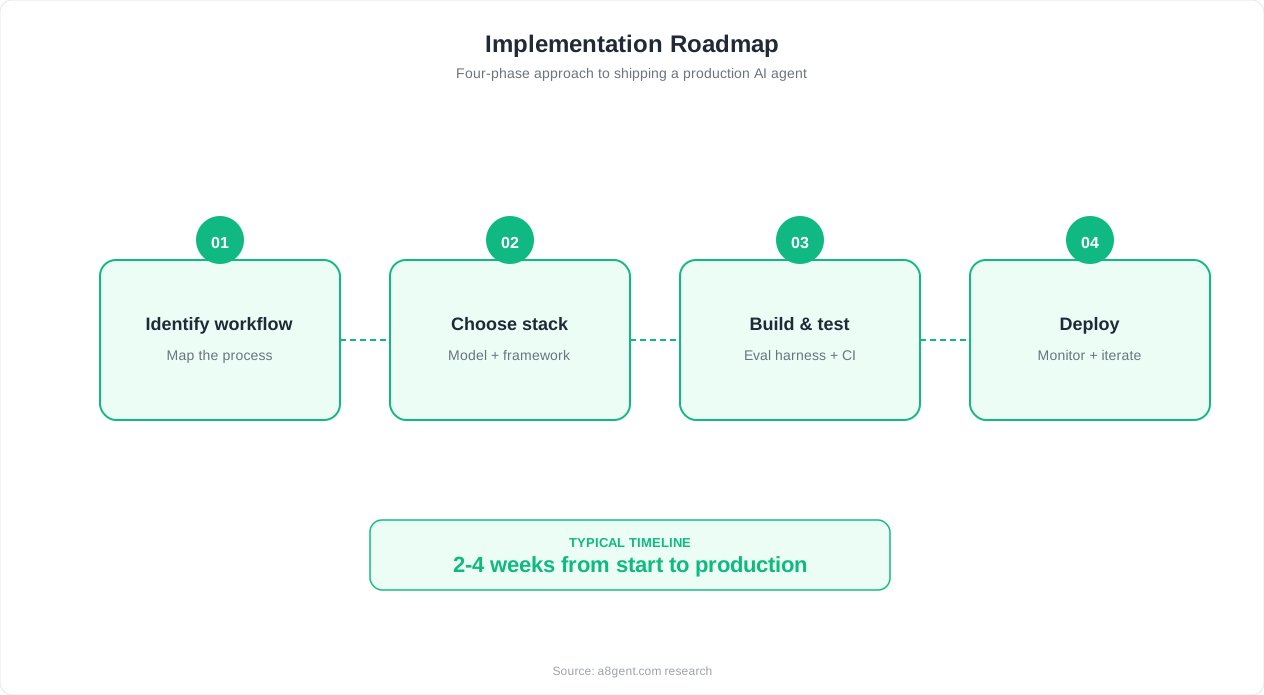
Once your invoice processing runs smoothly (typically within 2-4 weeks of deployment), you will have built confidence in AI automation and freed up significant time. Here is what to automate next, building on the foundation you have established.
Expense Report Processing
The same AI that reads invoices can process employee expense reports. Team members photograph receipts or forward email receipts, and the AI extracts the data, categorizes the expense, checks against policy limits, and routes for approval. This eliminates the painful end-of-month expense report scramble and gives you real-time visibility into spending. Most businesses set this up in under an hour since it uses the same core technology as invoice processing.
Payment Reminders and Collections
If you send invoices to customers (not just receive them), automate your accounts receivable follow-up. An AI agent monitors outstanding invoices and sends polite payment reminders at intervals you define: 3 days before due, on the due date, 7 days past due, 14 days past due (with escalating tone). This alone recovers 15-25% of late payments without any human effort or awkward conversations.
Bank Reconciliation
Once your bills are in your accounting system with accurate data, the next step is automating bank reconciliation. AI agents match bank transactions to recorded invoices and bills, flagging unmatched transactions for review. What used to take hours of manual matching becomes a 5-minute review of exceptions. This is particularly powerful when combined with automated invoice processing - because both sides of the match are already digitized and accurate.
Vendor Management
Automate vendor communication for routine matters: confirming receipt of invoices, requesting missing information (PO numbers, backup documentation), sending payment confirmations, and managing vendor onboarding paperwork. Your AI agent handles the back-and-forth while you only get involved for decisions.
Financial Reporting
With clean, accurate data flowing into your accounting system automatically, generating financial reports becomes trivial. Set up weekly or monthly automated reports that pull from your accounting data and highlight what changed, flag anomalies, and show trends. No more manual report building or end-of-month data cleanup.
The Broader Operations Opportunity
Invoice processing is just one piece of your operations automation potential. The same AI platforms that handle invoices can also manage employee onboarding paperwork, purchase order creation, inventory reordering, compliance documentation, and contract management. Each additional workflow you automate builds on the same infrastructure and integrations you already set up.
Ready to expand your automation beyond invoices? Take our assessment again with your updated needs - now that you have experience with one automated workflow, you are ready to identify the next highest-ROI opportunity. The businesses seeing the biggest transformation typically automate 3-5 operations workflows within 90 days of their first successful deployment.
FAQ
Do I need any technical skills to automate invoice processing?
No. Modern platforms like Autonoly offer point-and-click setup with pre-built invoice templates. You connect your email and accounting software through simple authorization flows (like logging into your Google account), configure basic rules using dropdown menus, and the AI handles the technical complexity. If you can use email and online banking, you can set up invoice automation.
How accurate is AI invoice data extraction?
Modern AI invoice extraction achieves 95-99% accuracy on standard business invoices. For well-formatted digital PDFs, accuracy typically exceeds 99%. For scanned documents or unusual formats, accuracy is 90-95%. Any invoice where the AI is uncertain gets flagged for quick human verification rather than processed with errors.
Will this work with my accounting software?
Most likely yes. Major platforms integrate with QuickBooks Online, Xero, FreshBooks, Sage, Wave, and others. If your accounting software has an API (virtually all modern cloud accounting tools do), it can connect. For niche or legacy systems, platforms like n8n offer custom API connectors that work with any system.
How long does it take to set up invoice automation?
Most businesses have their invoice automation running within 1-2 hours. The breakdown: 10 minutes to sign up and configure the platform, 5 minutes to connect your email, 5 minutes to connect your accounting software, 20 minutes to set up categorization rules, 10 minutes for approval routing, and 30 minutes for testing. After that initial setup, the system runs autonomously.
What happens if the AI misreads an invoice?
The system includes multiple safety nets. First, validation checks catch obvious errors (amounts that do not match totals, duplicate invoice numbers). Second, low-confidence extractions get flagged for human review instead of processed automatically. Third, you can spot-check processed invoices at any time. In practice, errors that make it through all safeguards are extremely rare - less than 0.5% of invoices.
Can it handle invoices in different formats and languages?
Yes. AI extraction works across PDFs, images, email bodies, Word documents, and even photographed paper invoices. Most platforms support multiple languages and currencies. The AI does not rely on fixed templates - it understands the structure of invoices regardless of format, making it adaptable to any vendor's billing format.
How much will I save per month with automated invoice processing?
Calculate: (number of invoices/month) x (minutes currently spent per invoice) x (hourly rate / 60). For 100 invoices at 15 minutes each at $30/hour: $750/month in labor savings. Subtract the platform cost ($79-Free-$149/month) for net savings of $601-$671/month. Larger volumes save proportionally more - 300 invoices/month saves $2,000+/month net.
Is my financial data safe with AI invoice processing?
Reputable platforms use bank-level encryption (256-bit AES), are SOC 2 compliant, and never share your data with third parties. Data is processed in secure environments and you retain full ownership. Check that your chosen platform explicitly states SOC 2 compliance and data encryption in transit and at rest. Most enterprise-ready platforms also offer data residency options.